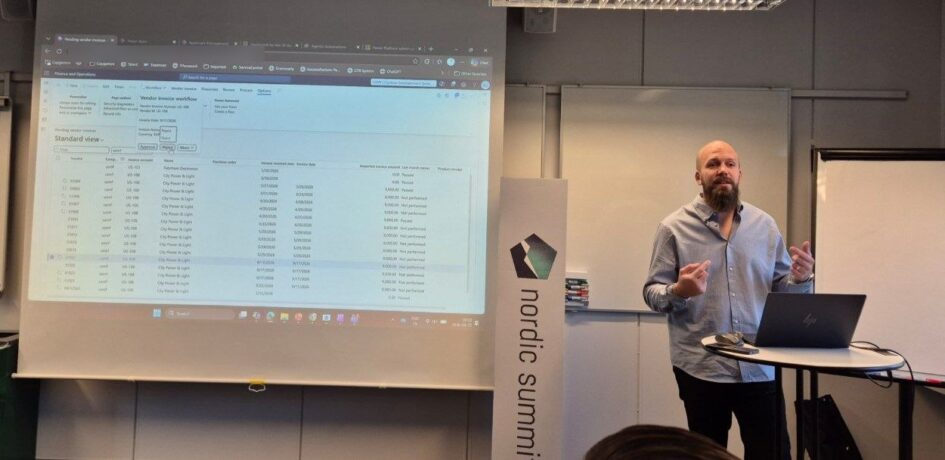
Ted Ohlsson’s session at Nordic Summit 2026 was called “Power Automate Approvals vs F&O Workflows”, and he admitted up front that he had done the thing you should not do: after watching the Copilot Studio sessions the previous afternoon, he rebuilt the last part of it overnight. Ted is a FastTrack recognised solution architect for both CRM and Finance and Operations at Capgemini, an MVP since the first of September, and someone who came to F&O through Power Platform extensibility rather than the other way round. This is my recap. The demos and opinions are his, the summary and any mistakes are mine.
The workflow that looks like 2012 and blocks the post button
His first reaction to F&O workflows was that they look like 2012 code, and his second, after building some, was that they are not that bad. You can compose approval messages from predefined fields without being a developer, assign to a user or to a hierarchy, add conditions, and automate steps in the background rather than only approvals. Vendor invoices are the natural example: under a certain amount from a certain vendor, approve automatically, otherwise route to a person.
The one feature he values most is the one that is genuinely hard to get any other way: the workflow blocks posting. An invoice that has been submitted cannot be posted until the approval is done, and that is enforced inside F&O. You can have a developer write that, but the workflow gives it to you.
The flaw is the enterprise hat. A company with 25 systems has approvals in each of them, and the manager who has to approve a vendor invoice may not even have F&O credentials, let alone know how to navigate to a work item. Microsoft’s answer is the Approvals app, and Ted was blunt about it: purchase orders and purchase requisitions only, no invoices, and an interface he could vibe-code a better version of in half an hour if he knew the entities it reads. He had checked with the product manager, and nothing new is planned for it. His guess is it will not live long.
Power Automate: the workflow still fires, the approval moves to Teams
The Power Automate approach does not replace the F&O workflow. You still need a workflow, because you still want the blocking behaviour and you need something to say that an event happened. The workflow becomes very simple: it fires a business event, and Power Automate picks it up with the “when a business event occurs” trigger.
Then the approval framework: the Approvals app in Teams, on mobile, with the approve and reject buttons a manager who never opens F&O will actually use, and the ability to collect approvals from F&O, from an external system, from anything, in one place. He showed two flows. The simple one parses the business event and uses the two most useful outputs the workflow offers, which turn out to be the email subject and instructions fields, because that is what the workflow was designed to produce. Ted could not find a way to get the vendor name out of the workflow that way.
The advanced flow solves that with virtual entities. A virtual entity takes an F&O data entity and exposes it as a Dataverse table without copying the data; every read goes straight to F&O. With the vendor invoice entity enabled as a virtual table, the flow takes the invoice ID from the event, fetches the invoice, follows it to the vendor, and builds an approval message with the vendor name in the subject. Assignment can come from the F&O hierarchy, from Entra groups, or from any other system, which is the flexibility the workflow does not have.
The questions from the room were the practical ones. Audit history: the approval history lives in the flow run history and in the Teams approval, and a rejected approval is still a succeeded run, but because the F&O workflow is still being approved underneath, F&O keeps its own history. The caveat is context: if the flow does not approve in the context of the person who actually approved, you have an auditing problem. Licensing: the manager approving in Teams needs the same F&O team member license they would need to approve inside F&O, because of multiplexing. You are licensed for the data you touch, not the tool you touch it with. Throughput: fifty flows each making four calls to F&O through virtual entities will struggle, which is fine for approvals and a real discussion for heavier automation.
And then the overnight version: an agent flow
The part he rebuilt after the previous day’s sessions was the same scenario in a Copilot Studio agent flow. Same trigger, when a business event occurs. Then, in his own words, citizen development at its best: a very simple agent given the Dynamics MCP server and one job, parse the body and find the invoice details, with predefined output values. A second agent to write a readable summary of the invoice and vendor. Then the human review step, which can go through Outlook or Teams, and pops up in a Teams chat with yes and no.
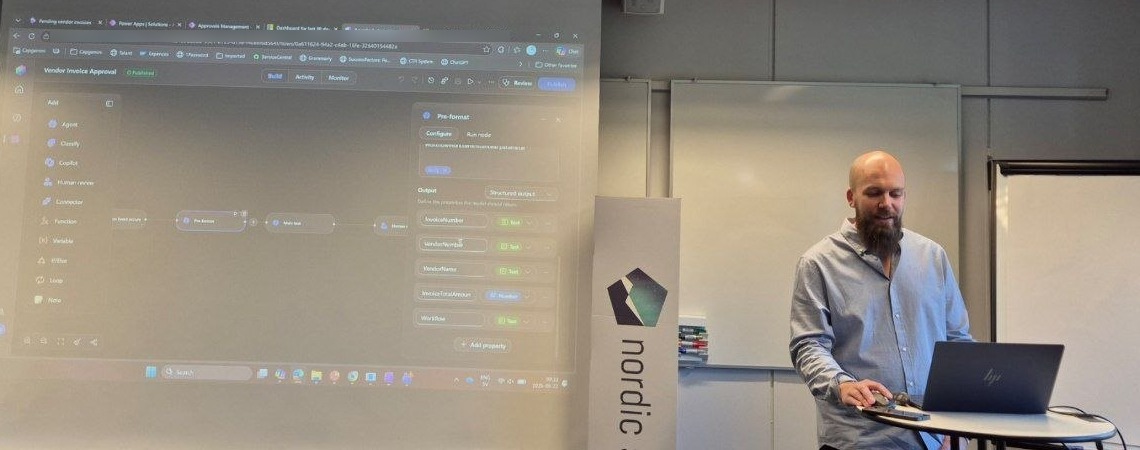
The honest part was how he got it working. The human review outcome threw errors, so he pasted the error into Microsoft Copilot, which told him the outcome values are accept and reject, not yes and no. He asked for the syntax, got it, and noticed that the expression as written would fall back to reject for any value other than accept. He pushed back, Copilot agreed, and he eventually pasted in something he could read and understand. His point was that this is what the new citizen developer looks like: you do not need to enjoy writing the syntax, but you do need to understand what it does before you trust it.
Asked whether this replaces Power Automate, his answer was probably, but not for this. A couple of AI calls per invoice is tokens every time, and for a customer he would build the approval in Power Automate. The grey zone where the AI earns its cost is the human-on-the-loop version: let the agent judge whether an invoice is routine and can be auto-approved or looks fishy and needs a person, rather than putting a person in front of every one. Whether that is too risky depends entirely on whether the rule can be written down.
Doro, iPhone, Android
His comparison at the end used phones. F&O workflows are not the iPhone, he said, because they are not that pretty, but they are easy: you get a lot done quickly, and the blocking is built in. Power Automate is the Android: richer, more places to connect, and it takes longer. One limitation to know about is that a Power Automate approval stops after 30 days, which usually leads to a change-management conversation about why anyone has approvals open for 60 days, and if you really must, a flow on day 29 that starts a new one.
The full run at the end went through Invoice Capture: upload a PDF for ten hours of consultancy, let it read the invoice, transfer it to F&O as a pending vendor invoice, submit, and watch the approval arrive in three channels at once, because he had three workflows on the same trigger. Then he approved it.