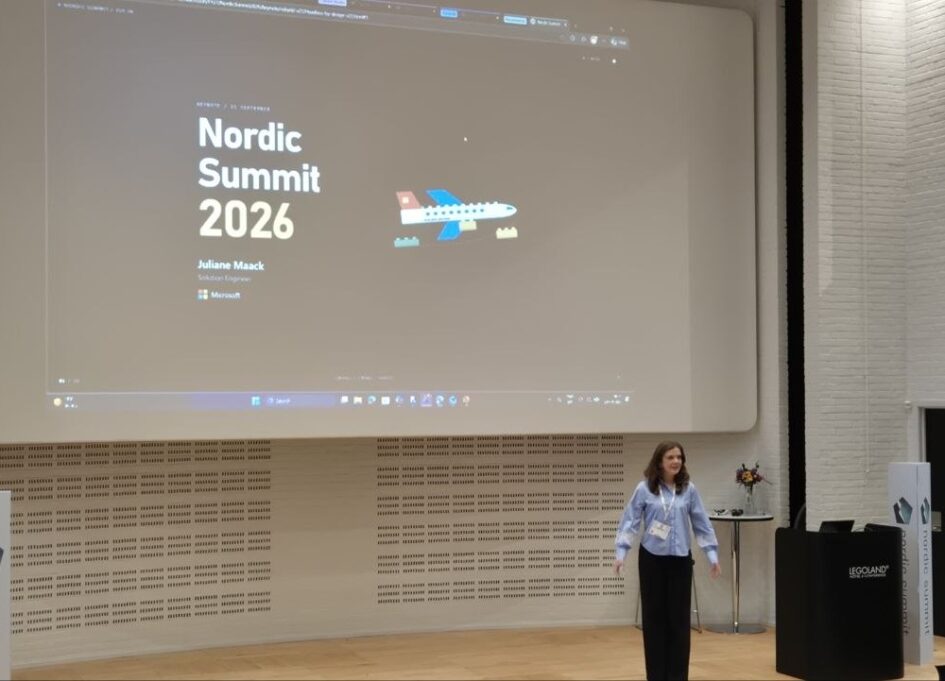
Juliane Maack opened Nordic Summit 2026 in Billund this morning. She is a Solution Engineer at Microsoft, and instead of the product pitch many of us had already seen, she promised a story: one business scenario told from two sides. First from the side of Lars, a busy salesperson at a fictional Unicorn Airlines, then from the side of the builder, which was her. This is my recap. The scenario and the demos are hers, the summary and any mistakes in it are mine.
The word of the morning: headless
The concept the whole talk was built to explain was headless business applications. Not a claim that the classic UI disappears tomorrow. Her definition was narrower: Copilot or an AI interface becomes the UI you use to interact with the data and do the work, while the business applications and the data model stay underneath. In between sits what she called the agent foundation, a mix of first-party agents and the agents customers build themselves.
She tied it to a shift in where the value sits: from the system of record to the system of Action. The value is in what Copilot and the agents produce on top of the data and knowledge we give them, not in the fact that the data is stored.
Then the scenario. Lars has a renewal coming up with a corporate customer, Nordpharma. He needs to prepare for the meeting, update the CRM on the move, model a new deal, generate a quote and get it to the customer. Every step was a separate demo, and they moved gradually from “Copilot helps Lars” to “Lars does not touch the application at all”.
Preparing for the meeting with Copilot Cowork
The first demo was Copilot Cowork, which she described as an agentic system for complex, longer-running tasks. Lars asks it to prepare for the upcoming renewal meeting with Nordpharma: an internal one-page PDF and a customer-facing deck, using the most recent numbers. Cowork writes a plan first, executes it, and comes back with both documents.
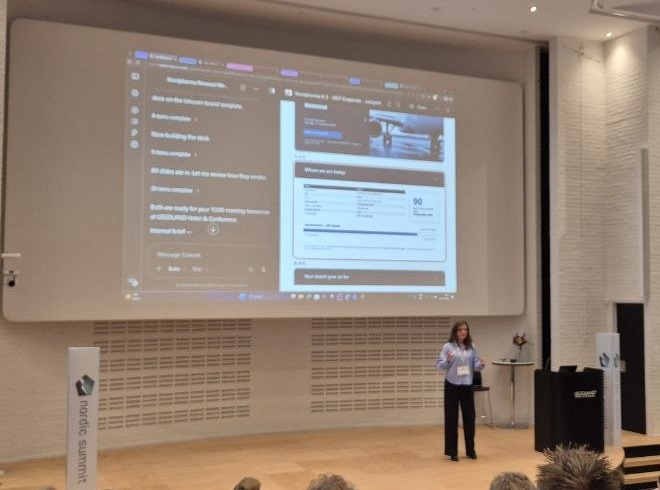
Two things made this more than a document generator. The data came from Dynamics 365 through a Dynamics plugin, and the context about Lars came from Work IQ: his role, who he works with, which meetings are coming up and with which customer. The other was a Unicorn brand skill she had written for the presentation, which applies the airline’s branding whenever the user’s intent calls for it. Skills, plugins and MCP connections were the building blocks of the whole morning, and this was the first place they showed up.
Updating the CRM on the go
Lars leaves the meeting and wants to update the opportunity before he forgets. He opens Copilot for Sales, the role-based Copilot which, she noted, has been included in the Microsoft 365 Copilot license since October last year, and dictates a note. Copilot structures it, attaches it to the record and updates the estimated close date. She typed it on stage, but the point was that the same thing works by voice from a phone.
Modelling the deal in a Code App
Back at his desk, Lars needs to model the new deal. This was the demo she was personally most excited about, and she was surprised the feature has not had more attention since release: Code Apps in Power Platform. She had built a deal workspace in React and embedded it into the Dynamics environment. For this solution, she used the standard Dataverse tables and security model, keeping the business data in Dataverse. Nothing in it invents tables or holds data outside Dataverse, and that was her argument for it: a custom UI without giving up the structure and security you already have.
In the workspace Lars models a corporate agreement where Nordpharma pre-commits to a number of flights, adds cabin classes, plays with the discount, and then confirms the opportunity and generates the quote. Standard tables, standard quote process, custom front end.
And then fully headless
The last demo removed the application from Lars’s hands entirely: a Copilot Studio agent called the Unicorn Renewal Desk.
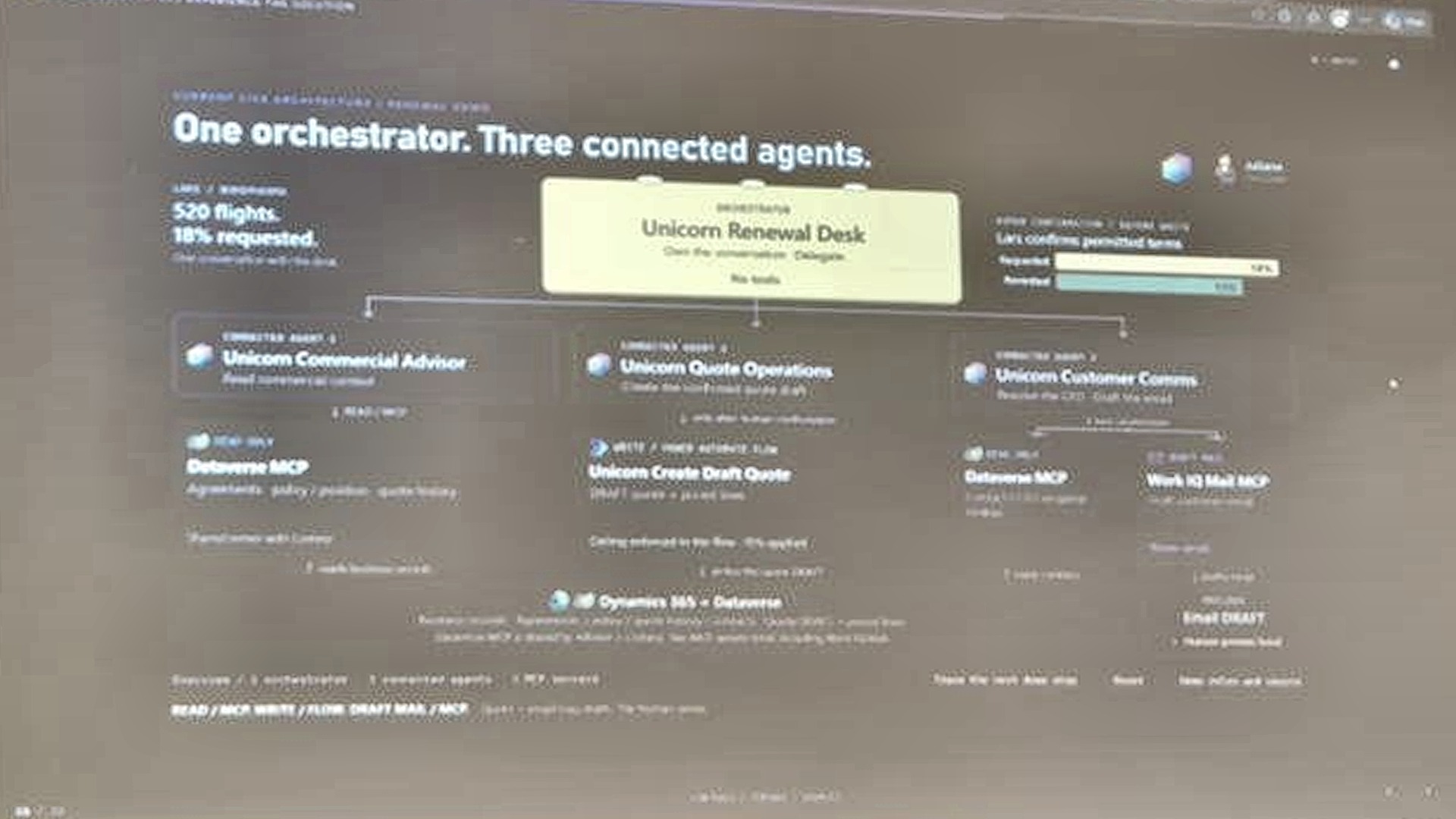
The orchestrator has no tools and no MCP servers. Its only job is to decide which specialist handles what the user asked for. Under it are three connected agents, and the interesting part is how differently each one is wired.
The Unicorn Commercial Advisor is connected to Dataverse through an MCP server with read access. It needs agreements, policies, the customer’s current position and previous quotes, so it can answer the question a salesperson actually asks: why was I allowed to give this discount last year and not this year? It reads, it argues, it never writes.
The Unicorn Quote Operations agent gets no MCP server at all. It gets one workflow, Unicorn Create Draft Quote, because she did not want it able to do anything except create a quote. Her aside was one of the most practical observations of the keynote: choosing between an MCP server and a flow involves cost and governance considerations as well as capability.
The Unicorn Customer Comms agent reads Dataverse for the customer contact and uses a Work IQ mail MCP server to draft the email. It is allowed to draft. It is not allowed to send. Lars stays in the loop and reviews before anything leaves.
This agent will never send anything. It’s not allowed to send.
Live, Lars asks for a renewal quote for 520 flights at an 18 percent discount. The advisor comes back with the current position and says no: 18 percent is above the absolute ceiling of 15, and no volume tier unlocks it. Then, because it is an advisor and not a gate, it proposes a two-tier option with the maximum discount for 520 flights. Lars picks it, the Quote Operations agent creates the draft quote in Dynamics, the Comms agent looks up the CFO at Nordpharma and drafts the email, and Lars checks the draft in his own mailbox. No form was opened at any point.
The builder’s side
With time running out she turned to how she built it, and this is the part that will divide the room. She did not touch the maker portal to create the demo. She was careful to say this is not an official guidance or recommendation, but her team is experimenting with how far AI-assisted development can go, and the answer so far is further than she expected.
The setup was GitHub Copilot with skills for building environments and apps, including both Microsoft-provided skills and custom skills, plus MCP tools, above all the Dataverse MCP server. The workflow is the one you know from any coding agent: give as much context as possible, get a plan, review it because you are the responsible party, approve, let the agent build. Skills carry the rules: strict naming standards, standard tables unless a written justification is approved, and documentation of every change so the next person can follow what happened.
Her framing of the shift was the line I wrote down. Previously the first question was who has the technical skills to implement this. Now the more important question is who can define the policies and describe what we actually want to achieve. Not instead of the engineering, but ahead of it.
She closed with a quote from Charles Lamanna about Microsoft learning the same transformation internally, and an invitation to spend the next two days telling her how we use AI in our own work, as builders and as customers. Then she sent us off to the sessions.