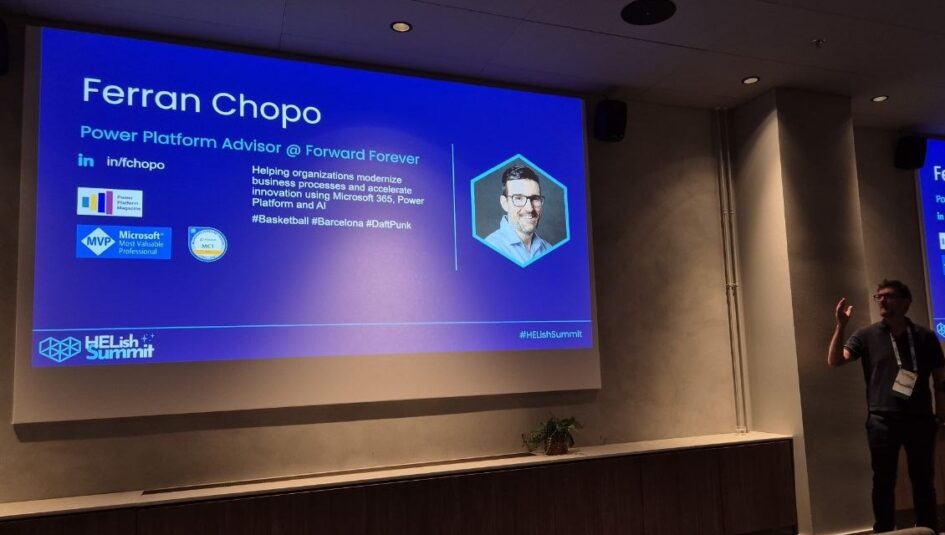
At 13.45 in the Take off room at HELish Summit 2026, Ferran Chopo, Power Platform Advisor at Forward Forever and Microsoft MVP, ran a session called “Multiagents in action: your assistant for HELish Summit with Copilot Studio”. Almost no slides, one live demo built for the event itself, and one point to take home: the difference between a child agent and a connected agent, and why it now depends on which harness you pick. This is my recap. The build and the numbers are his; the compression and any mistakes are mine.
One assistant, three helpers
An attendee should be able to ask one agent about the schedule, speakers and sponsors, how to get from one place to another, what to see in Helsinki, and then submit an evaluation for the session they just sat in. Ferran built that as a main agent, the HELish Summit Agent, with knowledge sources (an Excel file with the sessions, Dataverse tables and the event website) and three helpers behind it.
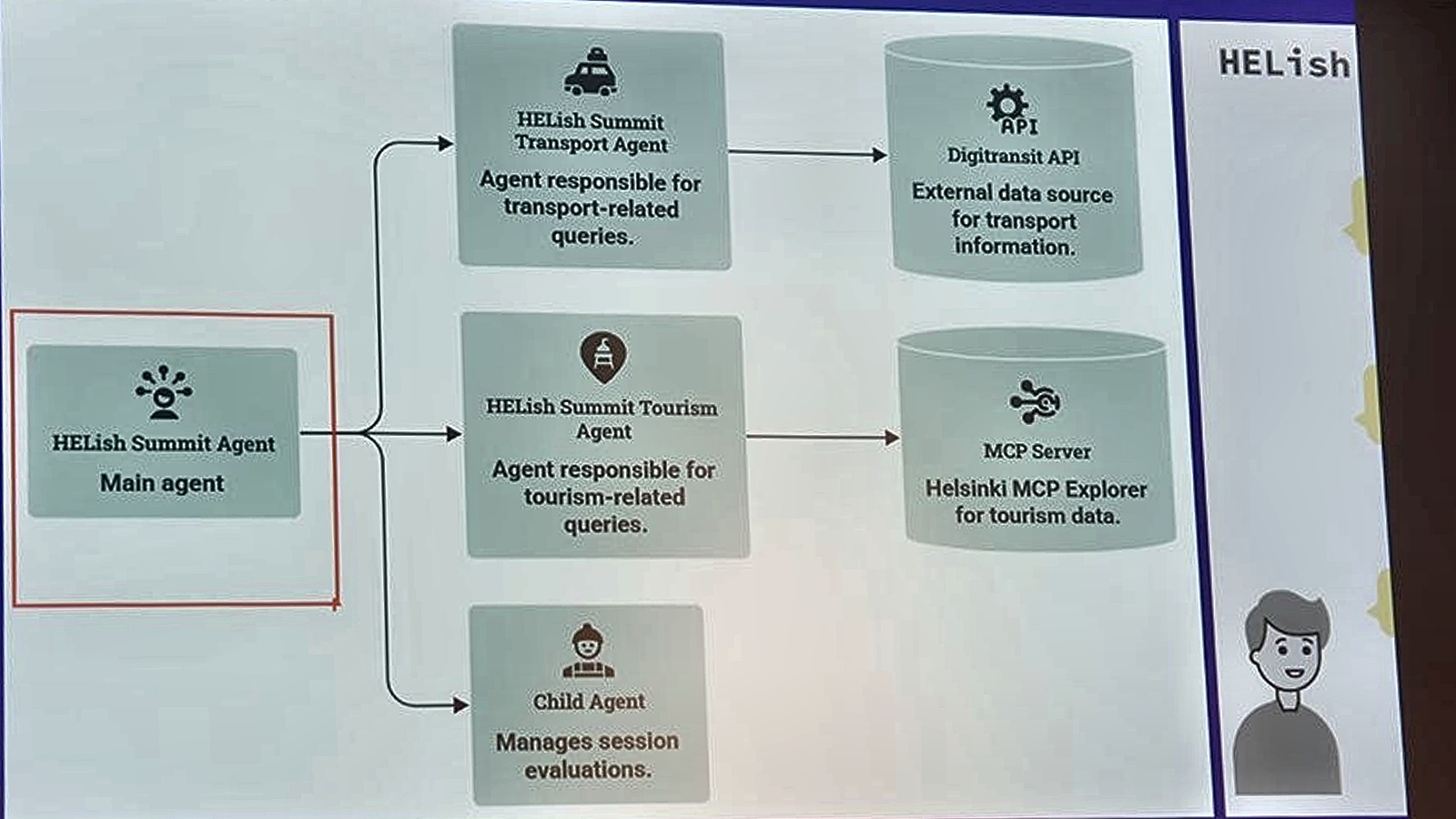
The transport agent calls the Digitransit API for real-time public transport in the Helsinki area. The tourism agent calls an MCP server Ferran wrote himself, with two tools: list all attractions, or pick one at random. The evaluations agent is different in kind: it is a child agent living inside the main agent. Two connected, one child, and an orchestrator on top that decides who answers.
Transport: two flows, no topics
The Digitransit route call needs latitude and longitude for both origin and destination, so Ferran built two agent flows: one to search an address and return coordinates, one to call the route API with the two coordinate pairs. Both are tools on the agent. The instructions say which tool to use for which step, and also how to handle errors.
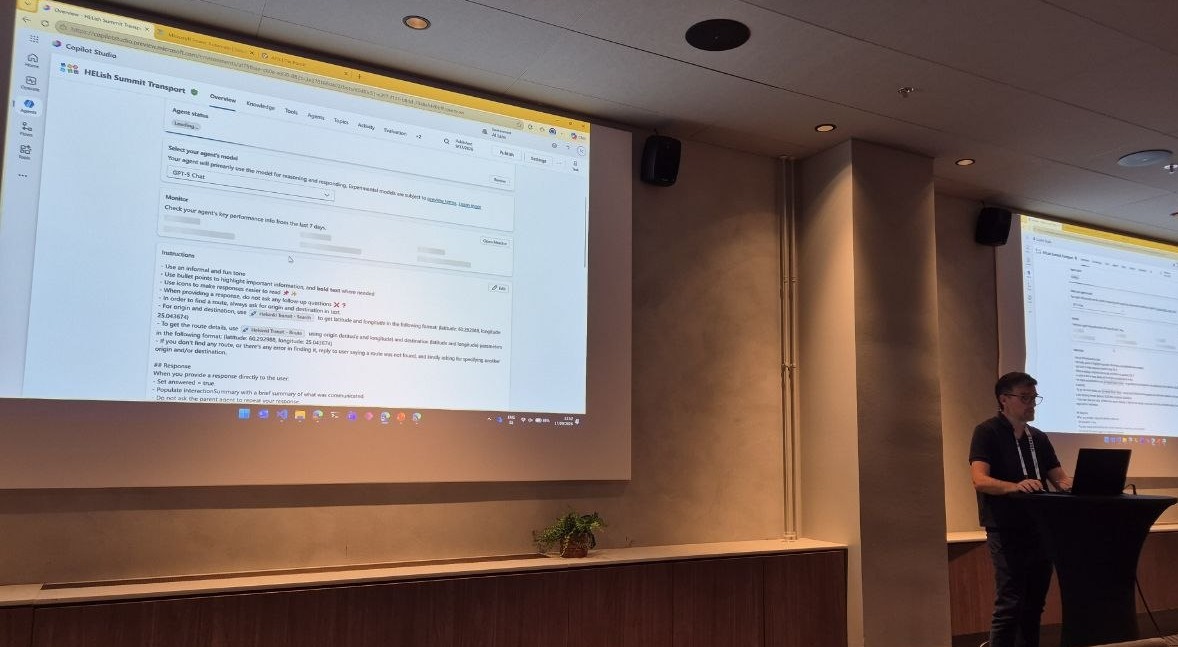
“I have topics, but I haven’t designed any topic,” he said. In the test pane you could watch the activity: the search tool called twice, once per address, then the route tool, and a JSON result coming back in real time. The formatting, the icons, the readable steps: none of that is in a topic or a flow, the instructions do it. Does every one of those calls consume Copilot credits, someone asked. Yes, of course.
For the tourism agent the interesting detail was the plumbing: the MCP server ran locally on his laptop and reached Copilot Studio through a custom connector, with the usual caveat that a DLP policy blocking custom connectors blocks this too.
The orchestrator only knows what you tell it
In the main agent, the two connected agents appear in the agents list, and the only thing the orchestrator has to go on is the description you write for each. That is how it decides which one to call; a vague description means problems. Ferran passed no inputs and did no post-processing: the orchestrator sends the context and takes what comes back.
The child agent for evaluations has its own instructions, its own knowledge (Dataverse tables) and its own tool, an agent flow that saves the evaluation to Dataverse. But it is not a separate agent. Open the main agent’s overview and the child’s tools are listed there, tagged as coming from the child.
Child versus connected, and what the harness removes
This was the slide he wanted people to remember.
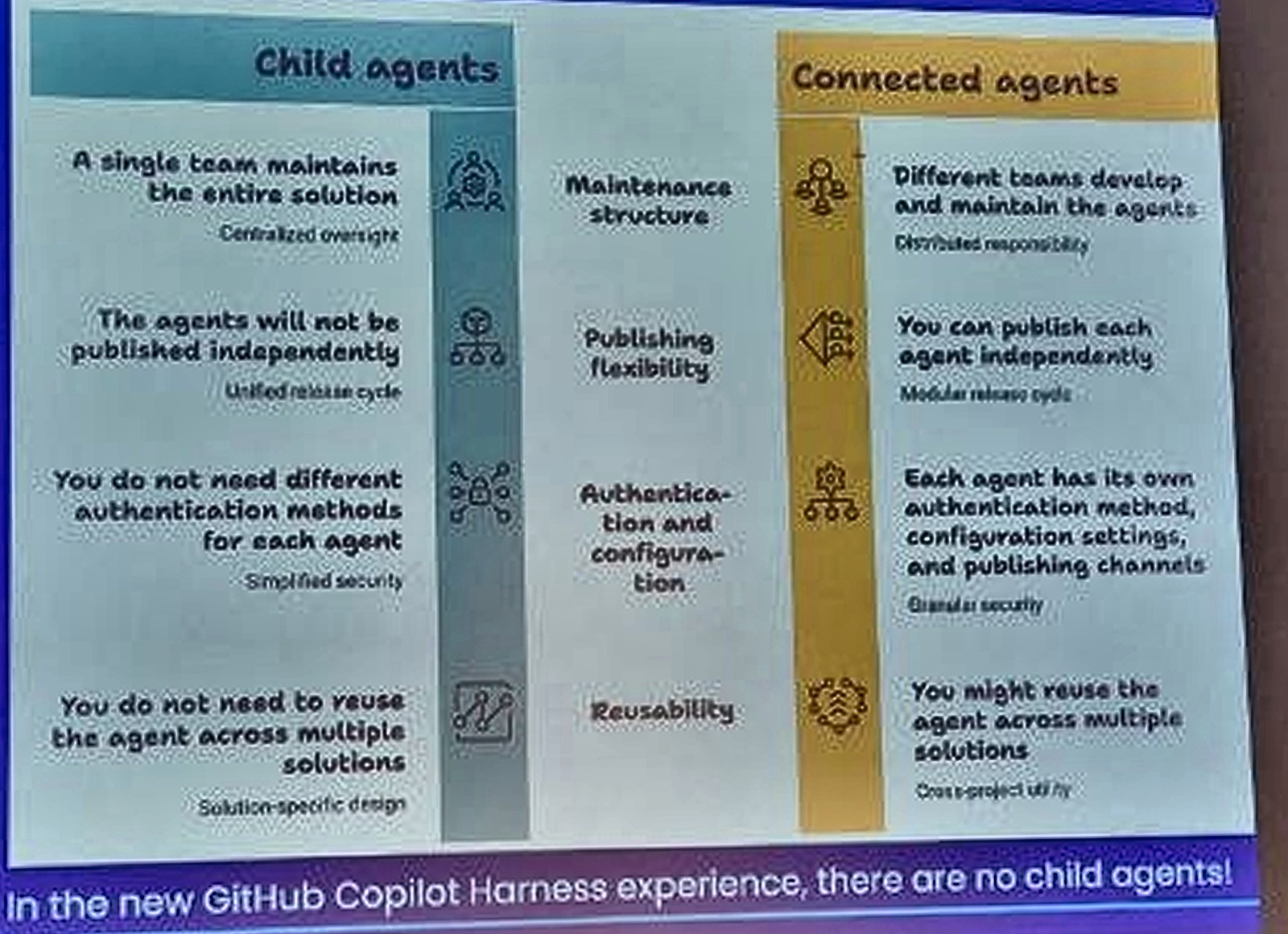
A connected agent is a real, separate agent: it can be published on its own (to a website, to Teams), maintained by a different team, given its own authentication, and reused across solutions. A child agent cannot be published independently; it belongs to the parent. So why not make everything connected? He agreed with the question. Child agents make sense when one large agent with many topics, flows or tools needs splitting up, and they are quicker to set up; connected agents give more granular control.
And then the line at the bottom of the slide: in the new GitHub Copilot harness there are no child agents. He showed it on a second tenant with the same three agents rebuilt in the new experience: the menu on the right offers connected agents only. If your design relies on child agents, it works in the standard harness and nowhere else, at least today.
The demo, including the part that went wrong
The agent sat on a public web page with no authentication. Asking for the afternoon sessions returned the sessions after 12 from the Excel file, with time, title and speaker; search by speaker name worked too. Someone pointed out that the citations expose the Excel file to anyone on the page; Ferran agreed, and said the fix is to manipulate the response and strip the citations. Submitting an evaluation triggered the child agent, which asked for a score, took a 5 and wrote it to Dataverse (under Ferran’s name, because the flow runs with his credentials). Asking for a place to visit called the tourism agent and its MCP server, and came back with the Market Square.
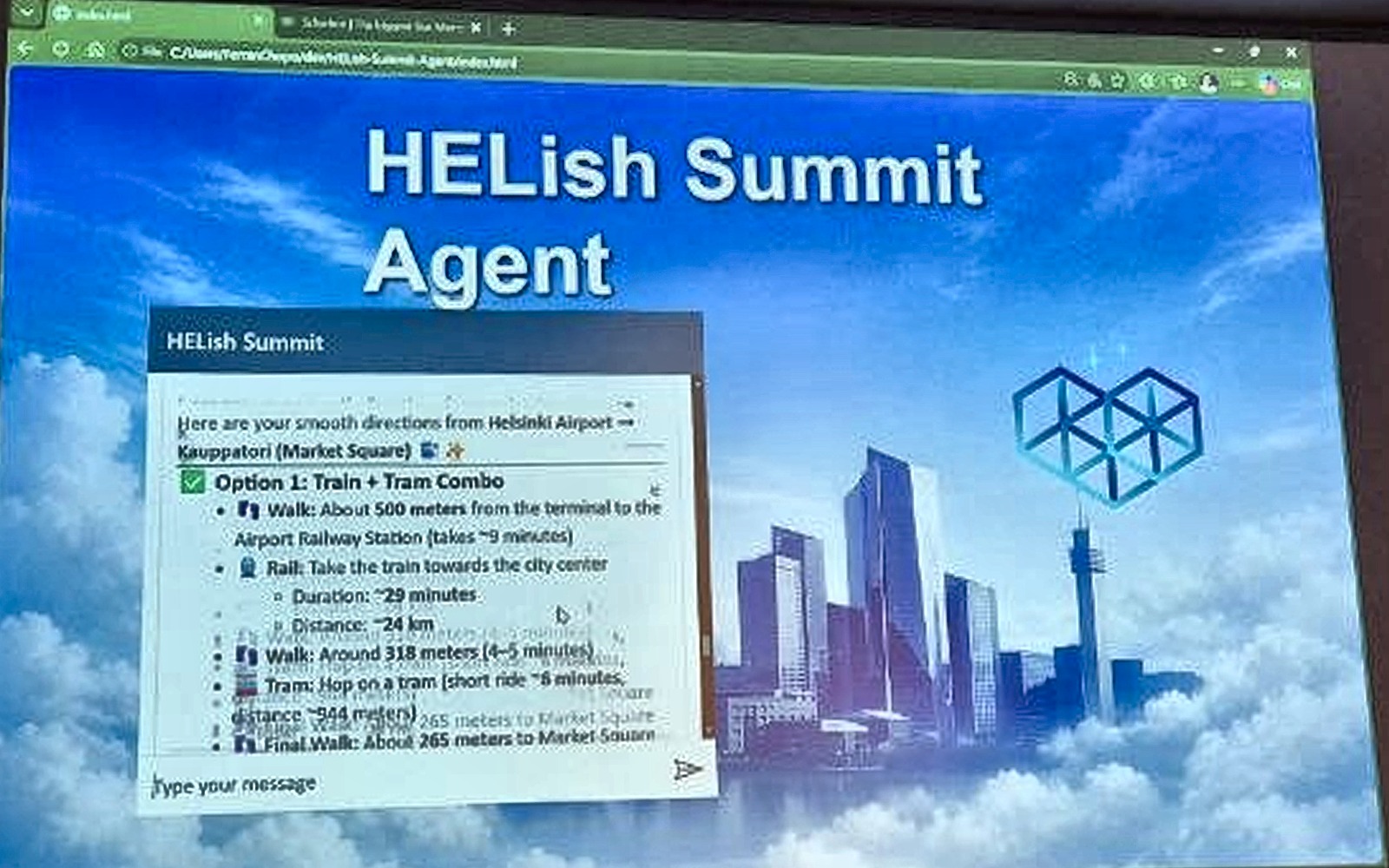
Then he asked how to get there, and got the answer twice. The transport agent answered, and the orchestrator answered again from what it had. He was open about it: this is an instructions problem he had been working on right before the session, and his instruction not to repeat, rephrase or summarise the connected agent’s answer had not been enough. Microsoft publishes guidance on designing multi-agent instructions to avoid exactly these duplicate messages. An attendee shared their own fix: their duplicates in Teams came from one instruction that told the orchestrator to summarise the sub-agent’s answer, and removing it solved it.
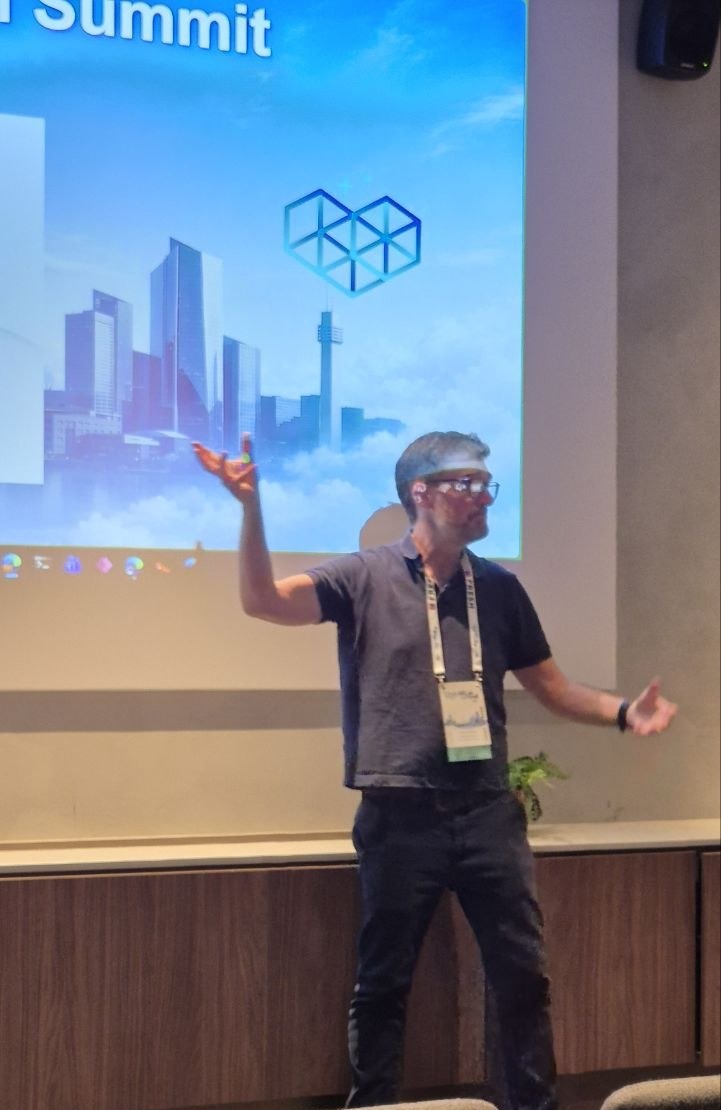
Nowadays it’s more about writing good prompts or good instructions instead of trying to debug.
What one interaction costs, in two harnesses
Ferran had counted the Copilot credits for a single interaction of each kind, and he said it took him a while because it is not easy. In the standard harness: asking about sessions 11, transport 16, tourism 6, plus 15 for orchestration, 48 in total. He then rebuilt the same agent in the new GitHub Copilot harness, connected agents only, evaluations folded into the main agent, and measured again: sessions 30.40, transport 10.55, tourism 6.72, no separate orchestration line, 47.67 in total.
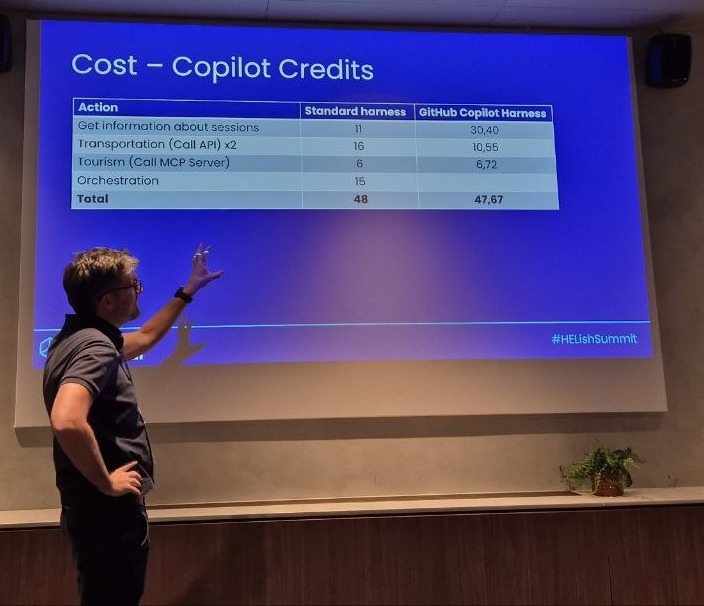
He was surprised; he had expected the new harness to be more expensive. Two caveats he gave himself: this is one interaction, not many, and Microsoft says the new harness is rated for high-traffic scenarios, which most internal company agents are not. Two more differences he pointed out: in the standard harness you do not consume credits while building and testing, not even for MCP calls, while in the new harness you do, “we start burning euros, dollars, you don’t realize that”. And he could not publish the new-harness version to a public page, because some of its actions currently require authentication.
His reading of Microsoft’s own guidance: for a simple agent where you want control over context, use the standard harness; for large instructions and complex operations, use the new one, which for a simple scenario may add unnecessary reasoning and latency.
His conclusion
Decide the harness first, GitHub Copilot or standard. Only then decide whether you need one agent, connected agents, or child agents, because the last option only exists in one of the two. And whichever you pick, the work has moved into the instructions of the orchestrator and of every agent under it.