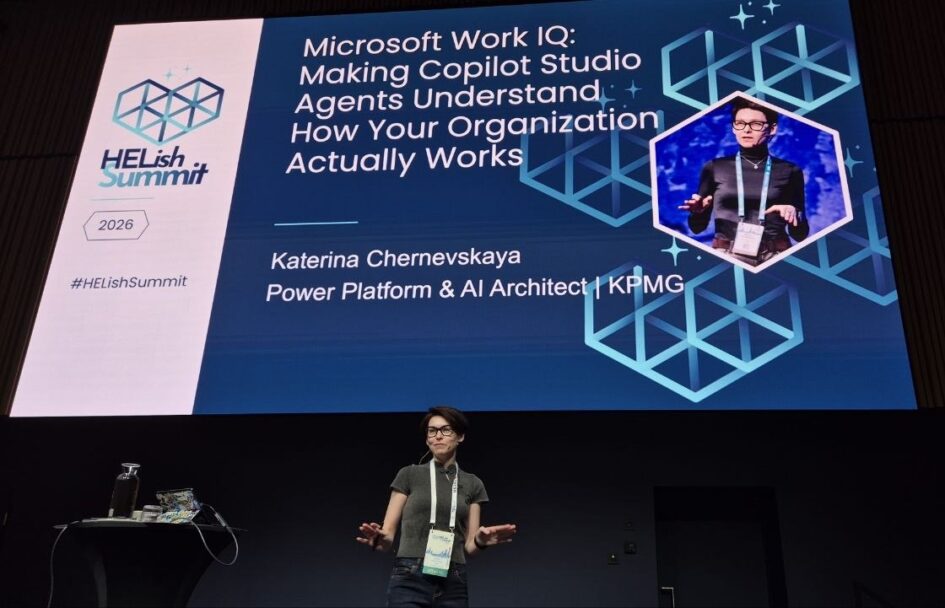
At 11.00 on Runway 2 at HELish Summit 2026, Katerina Chernevskaya, Power Platform and AI Architect at KPMG, gave a session with a long title and one sharp claim: “Microsoft Work IQ: Making Copilot Studio Agents Understand How Your Organization Actually Works”. The claim was that you do not need a Microsoft 365 Copilot licence to use Work IQ from a Copilot Studio agent, and she proved it in a tenant that has none. This is my recap of what she said and showed. The architecture and the demo are hers; the compression and any errors are mine.
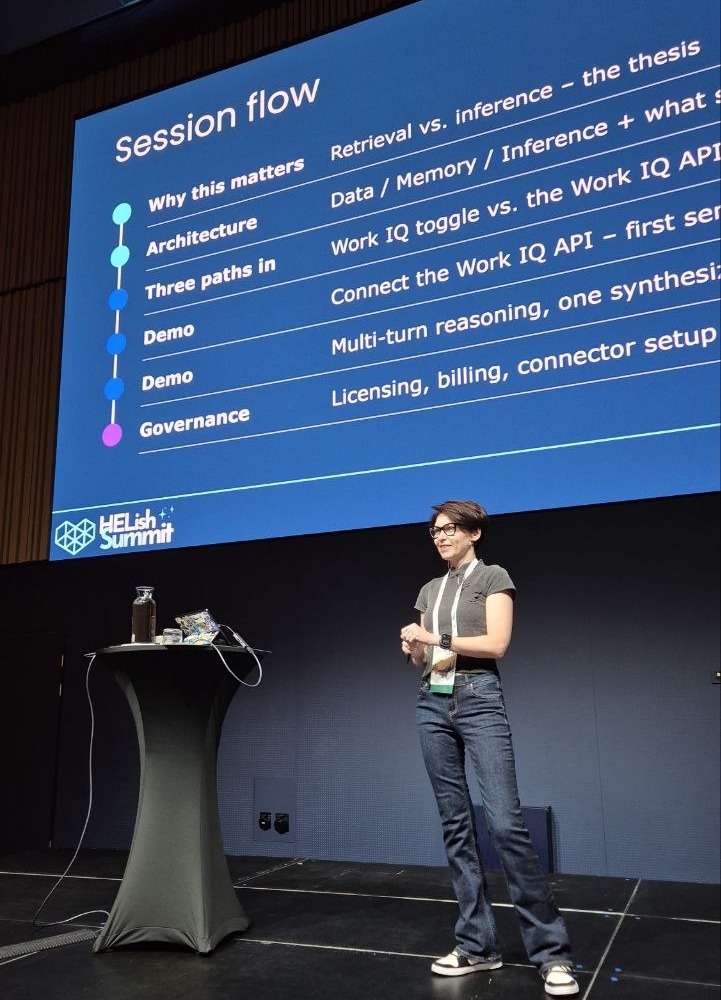
She opened with a show of hands. Who thinks you need a Copilot licence for Work IQ? Who does not know? Who believes you do not? The point of the next 45 minutes was to move everyone to the last group, with the caveat that “no licence” does not mean “no money”.
Retrieval is not the value
Everyone in the room had built a RAG solution: index the documents, fetch what matches, hand the text to a model. Katerina’s argument was that retrieval alone is no longer interesting. It gives you a ranked list of matching documents, whatever text sits closest to the query, no memory of who you are, and one source at a time. Connecting the dots is still your homework.
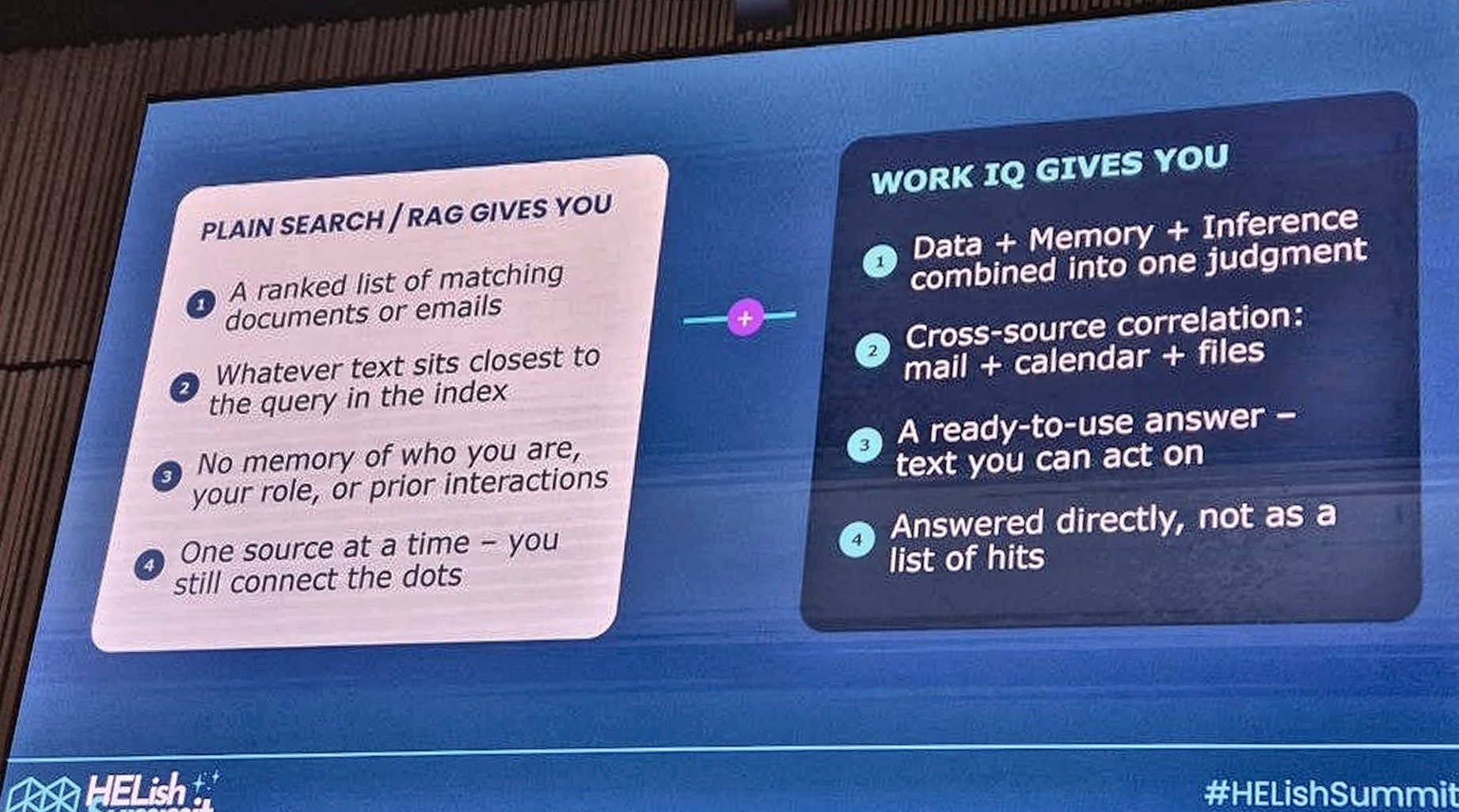
Work IQ, as she described it, adds the reasoning layer: it combines data, memory and inference into one judgment, correlates across mail, calendar and files, and answers the question directly rather than returning hits. She was careful to add that this does not remove the human from the loop. It helps you decide; it does not decide for you.
Three layers, one product
The architecture is three layers in a single product, not three products. At the bottom is data, which you already have: files, emails, meetings, Teams, Outlook. Above it is memory, which surprised her the most: a persistent understanding of how you and your teams work, built from your behaviour and interactions, with no switch to turn on and no 28-day window. On top is inference, where the comparison happens and the answer is produced. All of it is governed through Agent 365, which she noted is a separate session’s worth of material.
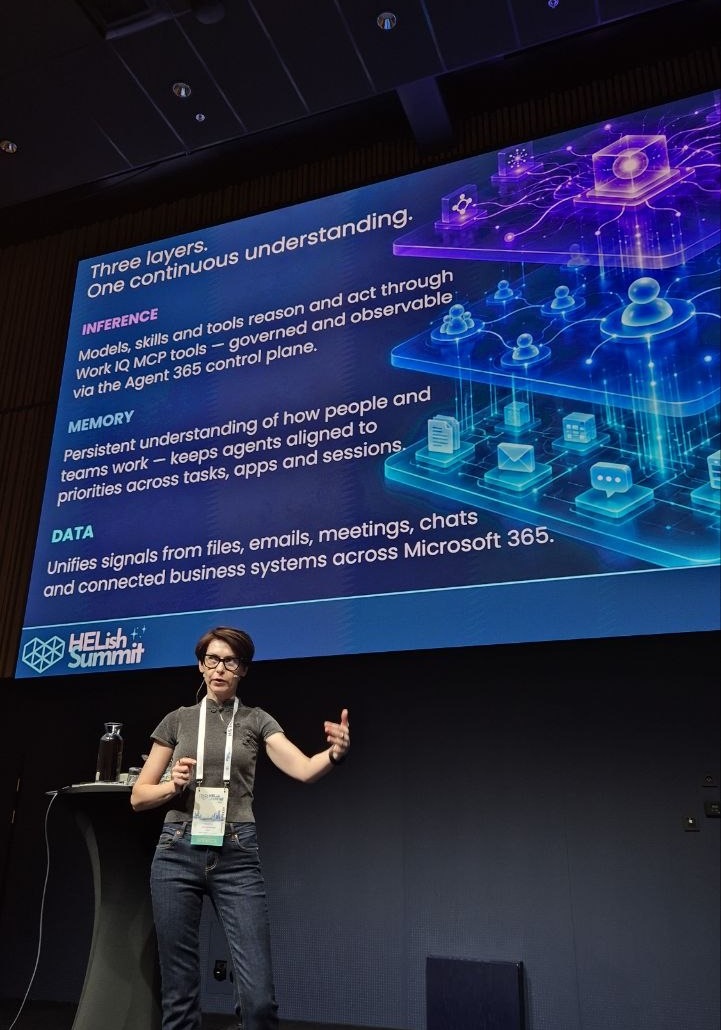
Her everyday illustration: when you open Word or PowerPoint you see your recent files, but there is no table of recent files anywhere. The metadata is in the tenant and the product knows where to look. Work IQ works the same way over everything you have access to, and because it runs in the user’s context, a colleague using the same agent gets answers from the data that colleague can see.
Three paths in
The slide she asked the audience to remember if they remembered nothing else was about protocols. You can reach the Work IQ API through A2A (agent to agent), REST or MCP. The entry point differs; the answer does not.
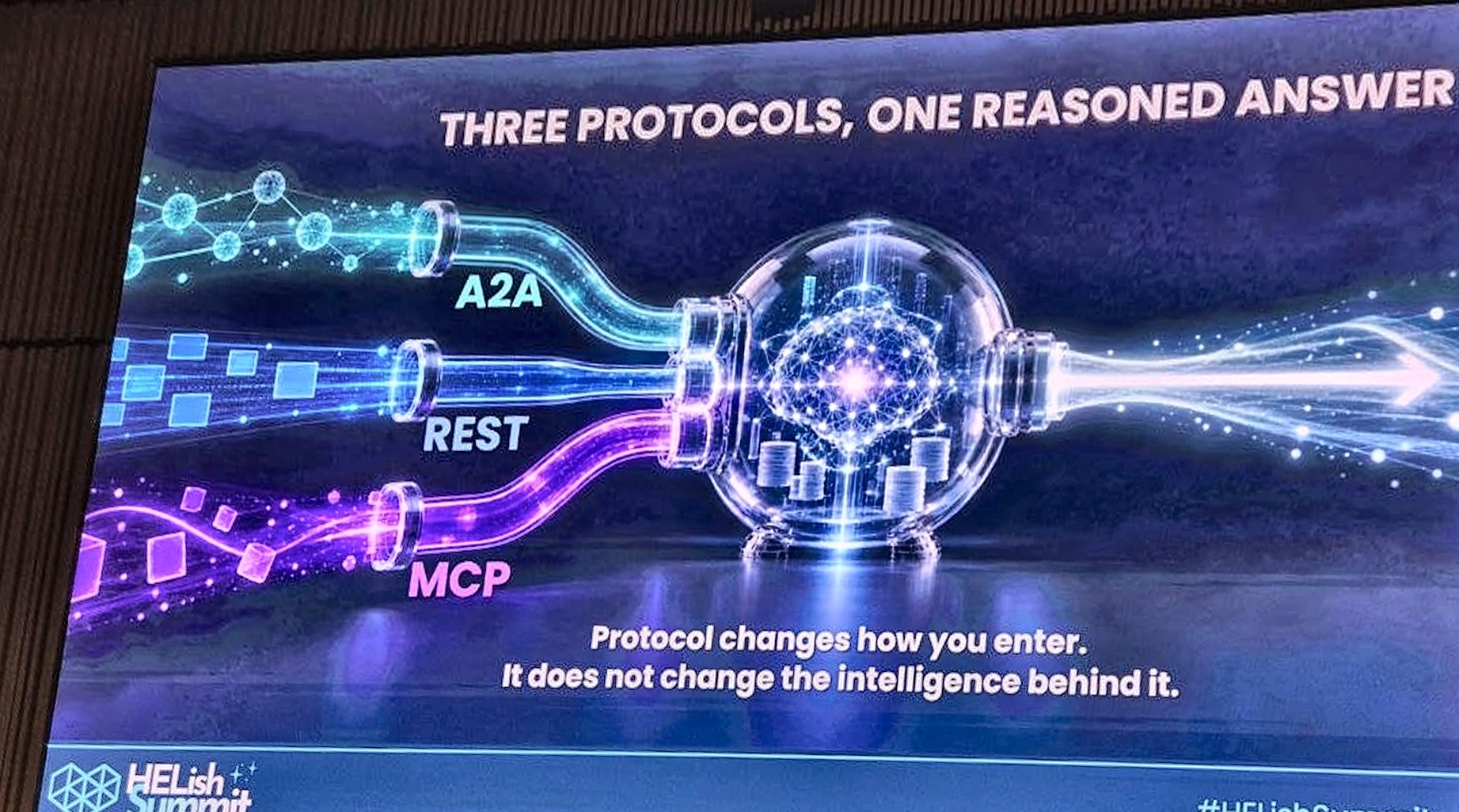
Protocol changes how you enter. It does not change the intelligence behind it.
REST suits a single-turn call from an application or an internal site. A2A gives you multi-turn conversation with its own session identifiers, which is why she used it in the demo. And a naming warning: Work IQ appears under the same name as a toggle, as the API, and as an Agent 365 MCP tool. The API needs no Copilot licence but does need usage-based billing set up. The Agent 365 MCP tool needs a licence and can act, for example send an email or write a Dataverse record. The API can draft the email; you still copy and paste.
What you actually set up
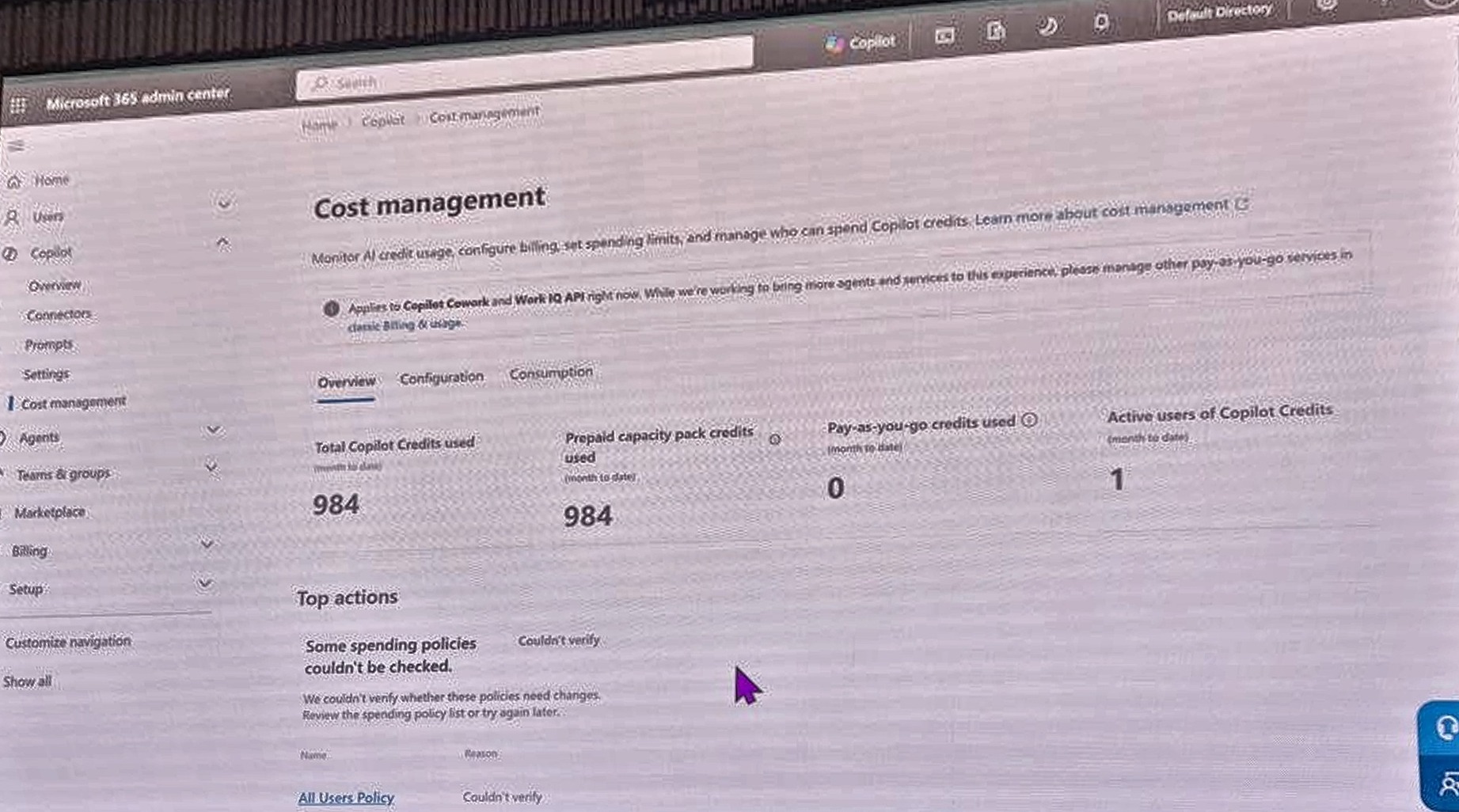
Three prerequisites, all shown live. First, cost management in the Microsoft 365 admin center: a spending policy that covers Copilot Cowork and the Work IQ API, scoped to everyone or to specific groups, with limits, alert recipients you can choose yourself, and a billing method that is either a prepaid capacity pack or pay-as-you-go against an Azure subscription. When she tried to set a per-user limit of 100, the portal refused: the minimum was 2,000, computed from the number of people in her tenant. Her aside was that this gets interesting in an organisation with thousands of users.
Second, enable Work IQ in the tenant, which she recommended doing with the Azure CLI rather than the admin center because the Graph route had been unreliable for her. Third, an app registration with the Work IQ API permission, admin consent, a redirect URL and a secret, feeding a custom connector. The connector definition is hers and she offered to share the swagger.
The demo: contract, SLA, email
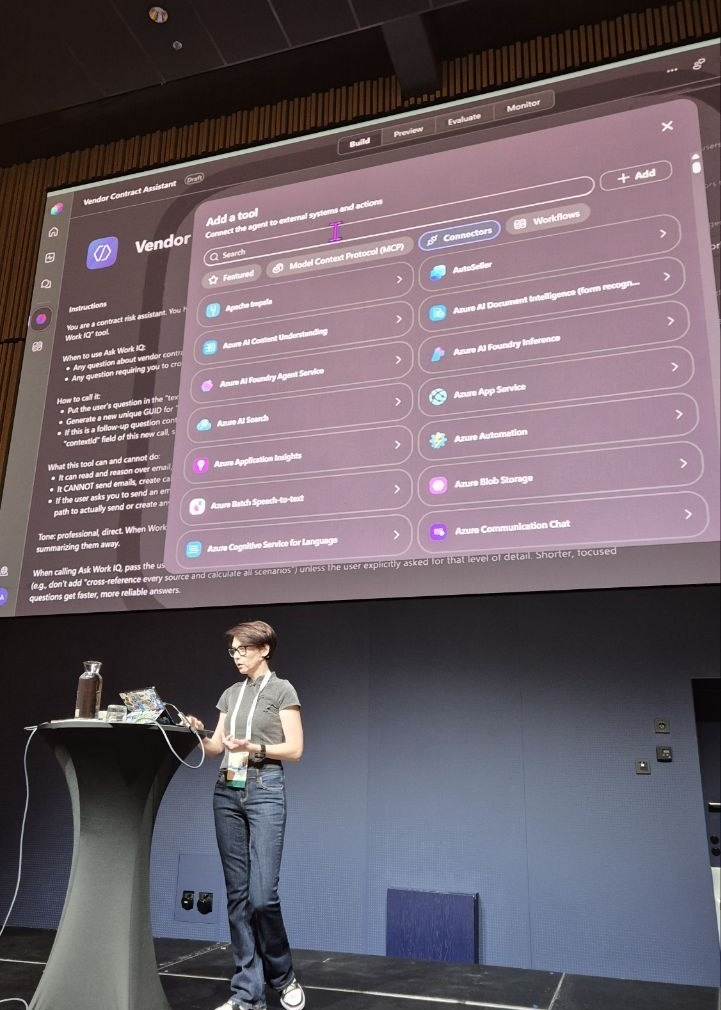
She built the agent in the GitHub Copilot harness, on purpose. In the standard harness the custom connector’s identifiers (message, context and so on) get treated as fields the user must fill; the new harness reasons that a new conversation means an empty context. The agent had two things: instructions on when to call the Work IQ tool, and the connector added as a tool. She also warned that the descriptions you type for the connector and its inputs disappear after you click Done, which she called a known issue.
The test data: a logistics subcontractor agreement requiring 30 days’ notice before a new subcontractor is added, with a 75,000 USD penalty; an SLA clause that tolerates a miss in at most two consecutive months; a note that the SLA was met in July and September but missed in August; and an email received the day before saying a new contractor starts on 1 October.
First question: based on the contract and recent performance, are we owed service credits? The agent’s first search came back empty, it retried with simpler terms, and answered no, with the reason: one bad month, not two consecutive. Second question, deliberately vague: check the email from this partner, is there anything to worry about? It found the 16 September email, the 1 October start, matched it against section 4.2 of the contract, flagged the notice breach and recommended asking for the partner’s legal name, scope and evidence of timing while reserving contractual rights. Then it drafted the email. That is the difference she wanted on screen: RAG would have returned the clauses; this returned a judgment.
Governance and the sharp edges
Two practical warnings. The new harness has a 60-second timeout that you cannot extend, unlike the standard harness, and Work IQ pulls from many sources, so vague questions time out. Be precise, and repeat the guidance in the instructions. Reasoning is visible to the maker but not to the end user, which matters while you are building. And an audience question got the honest answer: whether this is cheaper than a Copilot licence depends on how many requests your users make. Heavy use, yes; light use, do the math. A credit calculator, someone said, would be welcome.
She closed by trying the same question in the built-in Work IQ tool of the new harness. It answered that she had no access, because that path needs a licence. The API path had just answered the question. Point made.