
At some point, every Copilot Studio conversation hits a limit.
Simple chat-based agents are easy to build.
But real business problems rarely stay simple.
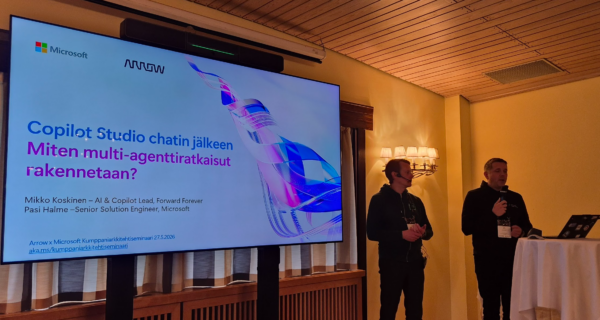
I attended Microsoft partner architect seminar in Hilton Kalastajatorppa. I had one session about developing Copilot Studio agents with Claude Code and then I participated other sessions. In the session delivered by Mikko Koskinen (Forward Forever) and Pasi Halme (Microsoft), the focus shifted from demos to reality:
What does a real multi-agent solution actually look like in production?
And more importantly—how do you design one?
The First Reality Check: Not Everything Should Be an Agent
Before going deeper into multi-agent architectures, the session started with an important reminder:
Not every use case should be solved with an agent.
For deterministic processes:
- Traditional automation (e.g., Power Automate flows) is often a better fit
- Applications (Power Apps) still play a critical role
The key insight:
The best solutions combine agents, automation, and applications—not replace everything with AI.
From Single-Agent to Multi-Agent Thinking
The need for multi-agent architecture emerges naturally.
As use cases evolve:
- They move from simple Q&A → into full business processes
- They require multiple data sources
- They involve multiple steps and decision points
This is where a single agent struggles:
- Too many responsibilities
- Too much context
- Too many tools
Instead, the approach shifts to:
Splitting the problem into multiple agents, each with a clear role.
Copilot Studio as the Orchestration Layer
In this architecture, Copilot Studio plays a very specific role:
It becomes the orchestration layer.
Not the heavy processor.
Not the data engine.
Instead, it:
- Receives user input
- Decides which agent to call
- Coordinates the flow between agents
The actual work can happen elsewhere:
- Microsoft Fabric for data
- Azure AI for processing and search
- External systems through APIs
This separation is critical:
Copilot Studio orchestrates—but does not try to do everything itself.
The Role of Data: Fabric and Beyond
One of the strongest patterns shown in the session was around data.
Modern solutions increasingly rely on:
- Structured enterprise data
- External data sources
- Real-time or near real-time processing
Microsoft Fabric plays a key role here:
- Data is modeled and prepared
- Data agents expose that information
- Copilot Studio consumes it via orchestration
From the end-user perspective:
- It looks like a simple chat
- Behind the scenes, multiple systems are working together
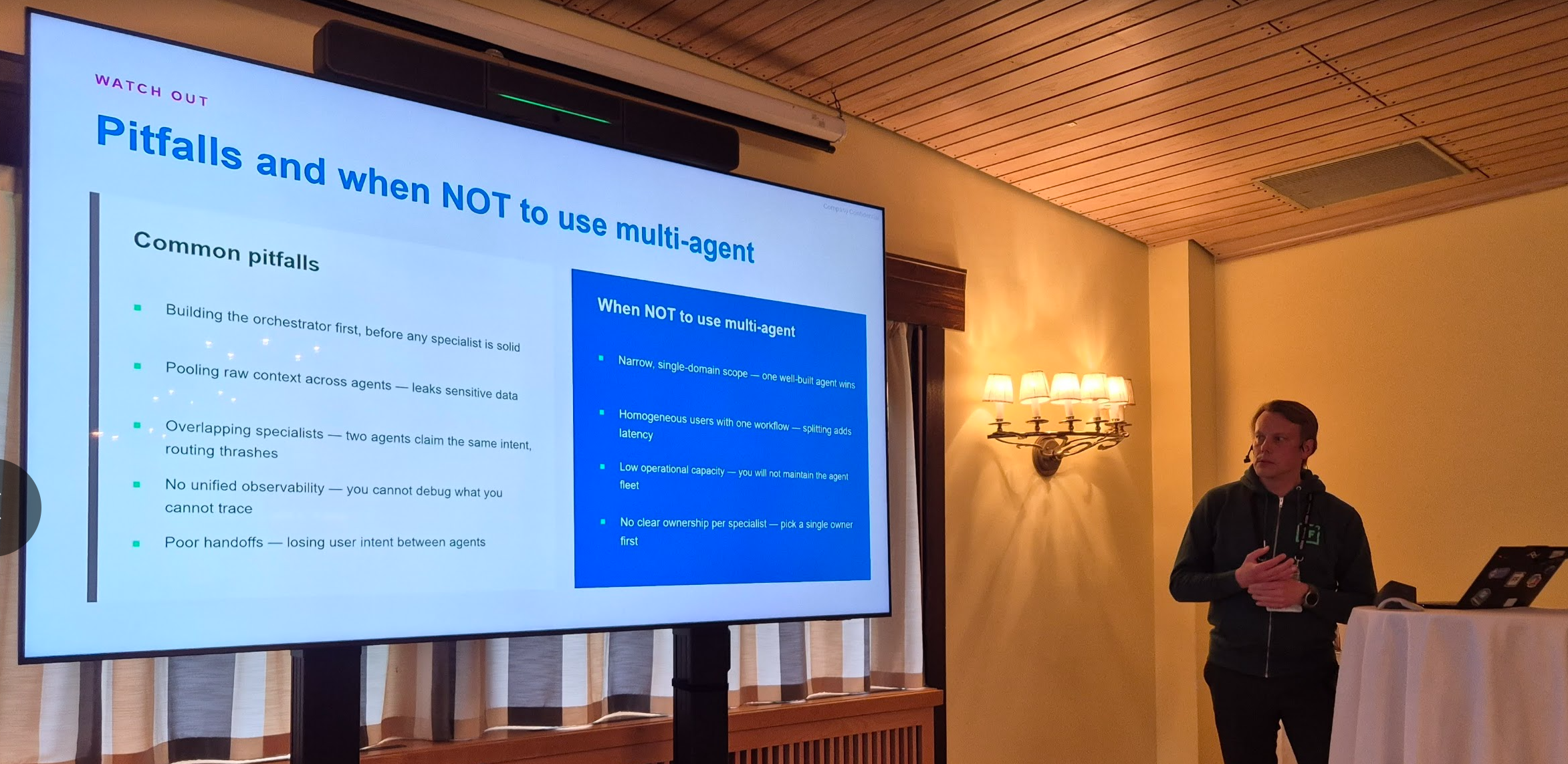
Sub-Agents: The Key to Control and Scalability
A central concept in the session was sub-agents (child agents).
Instead of building one complex agent:
- You create smaller, specialized agents
- Each handles a specific task
- Each has its own instructions, tools, and data
For example:
- One agent handles product data
- One handles competitor analysis
- One handles internal sales data
The orchestrator then:
- Calls the right agent at the right time
- Combines the results
Why This Matters: Control and Predictability
This pattern is not just about scalability—it’s about control.
When everything is inside one agent:
- Instructions become long and hard to manage
- The agent may use the wrong data source
- Behavior becomes unpredictable
By splitting into sub-agents:
- Each agent has a clear scope
- Data usage is controlled
- Outputs become more consistent
You are not just building functionality—you are controlling decision-making.
Architecture Insight: It’s Still Architecture
One reassuring takeaway:
Even though the technology is new, the principles are not.
Multi-agent solutions still follow familiar patterns:
- Layered architecture
- Separation of concerns
- Integration between systems
- Controlled data access
The difference is:
- Agents replace parts of logic
- Orchestration replaces rigid workflows
Low-Code Meets Pro-Code
Another key theme was the combination of:
- Low-code (Copilot Studio, Power Platform)
- Pro-code (Azure AI, Fabric, APIs)
This is where real solutions happen:
- Low-code handles orchestration and UX
- Pro-code handles heavy processing and data
This hybrid model is becoming the standard:
Neither low-code nor pro-code alone is enough—you need both.
A Practical Design Guideline
One of the most useful practical insights from the session:
If your agent instructions start to look like this:
- Long
- Complex
- Full of conditions
Stop.
Instead:
- Break the logic into smaller parts
- Move pieces into sub-agents
- Assign clear responsibilities
This is often the turning point between:
- A demo that works
- A solution that scales
Where This Is Going
The session ended with a look forward:
- Better orchestration models (e.g., Enhanced Task Completion)
- More flexible integrations (MCP, Azure AI search)
- Increasing maturity in multi-agent patterns
But the direction is already clear:
We are moving toward structured, orchestrated, multi-agent systems—not standalone chatbots.
Final Thoughts
If you are still thinking in terms of a single Copilot Studio agent, you are probably building demos.
Real-world solutions look different:
- Multiple agents
- Multiple systems
- Clear orchestration
- Strong architectural thinking
And the real shift is this:
From “build an agent” → to “design a system of agents”.
That’s where things become interesting—and where real business value starts to appear.