Most organizations no longer struggle with building AI agents. They struggle with trust.
Once you move beyond demos and proofs of concept, the same questions always surface:
- Where does this answer come from?
- Who decided this document is valid knowledge?
- What happens when content is deleted or expires?
- Can the agent explain its limitations instead of guessing?
An agent that is useful, predictable, and defensible in enterprise environments.
Architecture Overview
At a high level, the architecture is intentionally boring:
- A main Copilot Studio agent that users interact with
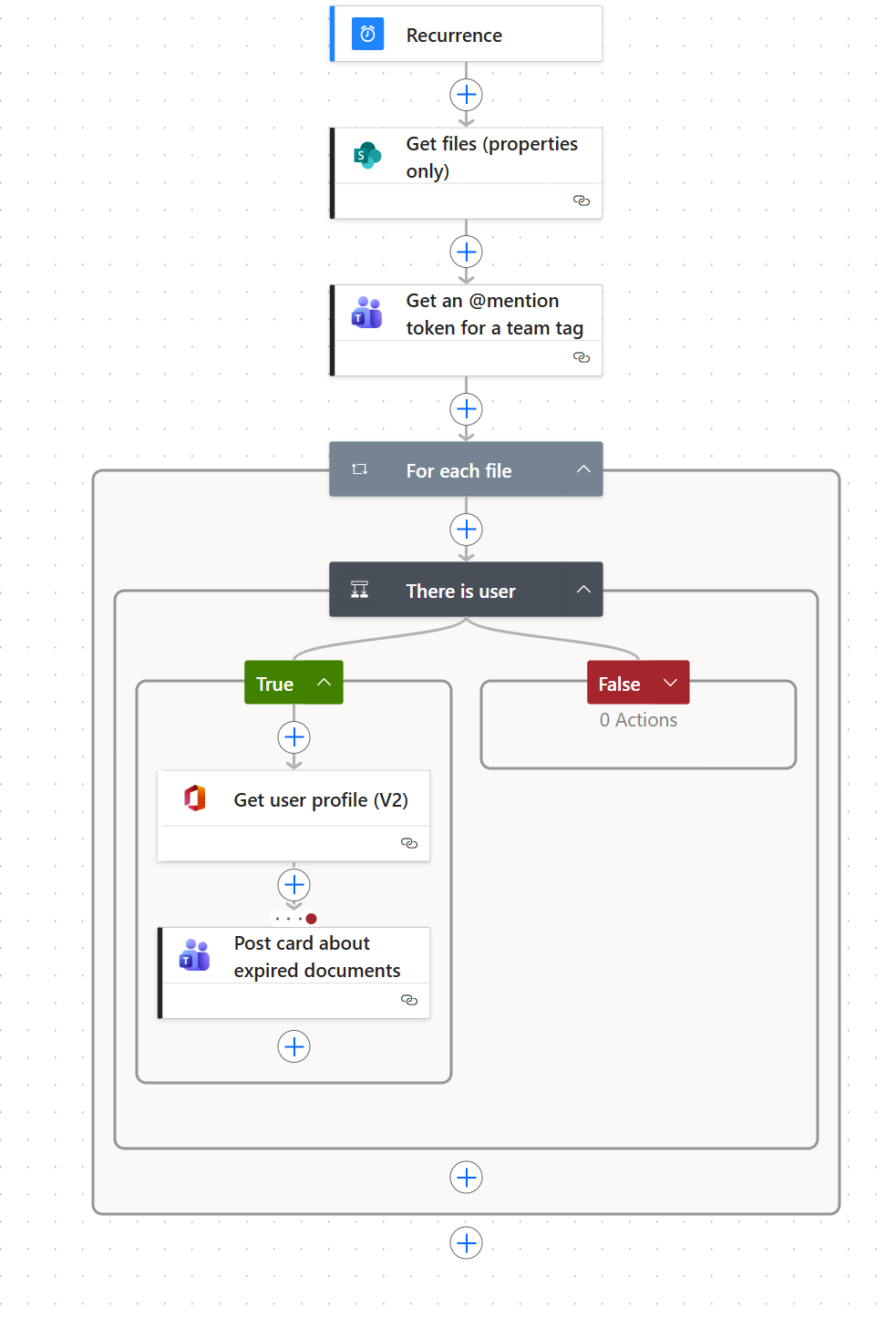
- Power Automate flows used controlling which documents are source for the agent
- SharePoint libraries acting as governed knowledge boundaries
The real value comes from what the agent is not allowed to do.
The agent:
- Does not browse the open web
- Does not infer missing information
- Does not reconstruct deleted content
- Does not silently expand its knowledge scope
Everything it knows is explicitly allowed.
Feature 1: Controlled Knowledge Scope with User‑Managed Sources
The most important feature of this agent is also the simplest:
The agent only answers questions using documents that humans have explicitly approved.
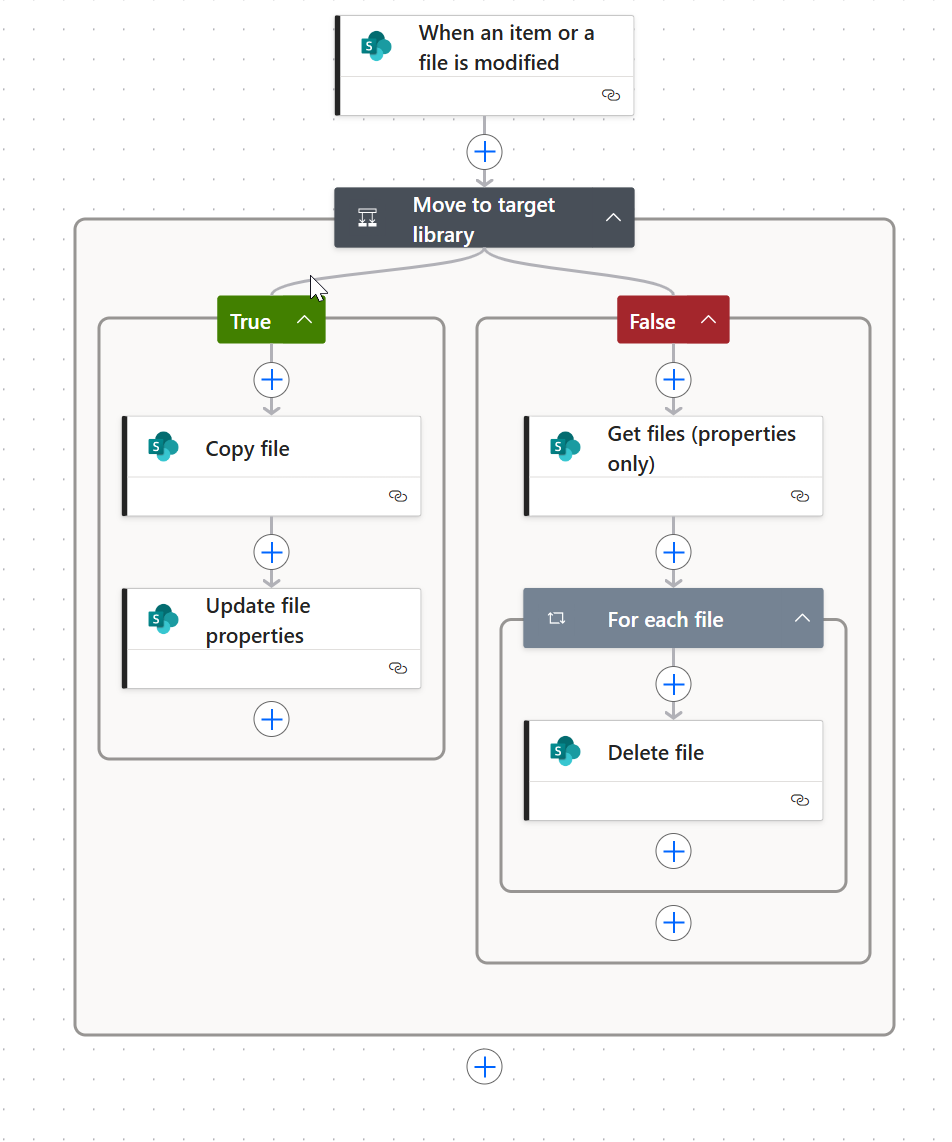
Instead of pointing the agent at an entire library and hoping for the best, this setup introduces a clear separation between content creation and AI consumption.
Source Library vs. Agent Library
- Source library
Where documents are authored, edited, reviewed, and maintained as part of normal work. - Target (agent) library
A dedicated library that acts as the only knowledge source for the agent.
The agent is configured to read only from the target library.
It has no visibility into drafts, working documents, or unapproved content.
How Users Control What the Agent Knows
Control is implemented using metadata, not permissions or prompts.
Documents in the source library include a column such as:
- Use as agent source (Yes / No)
A governed Power Automate flow enforces this decision:
- When set to Yes
→ the file is copied to the target (agent) library - When set to No
→ the file is removed from the target library
The agent never decides what is “good content”.
It simply consumes what has been explicitly marked as approved.
Why This Pattern Works So Well
This approach solves several enterprise problems at once:
- Business ownership
Content owners decide what the agent can use—no IT ticket required. - No accidental oversharing
Drafts, sensitive material, and outdated content never become AI knowledge by default. - Clear audit trail
Every inclusion or removal is a Power Automate flow run, not an opaque AI decision. - Predictable answers
When the agent answers, users know exactly where that answer came from.
An important design choice here is copying files instead of referencing them in place.
This creates a clean contract: this library is curated knowledge, not a working area.
Feature 2: Retention‑Aware Behavior (No Ghost Knowledge)
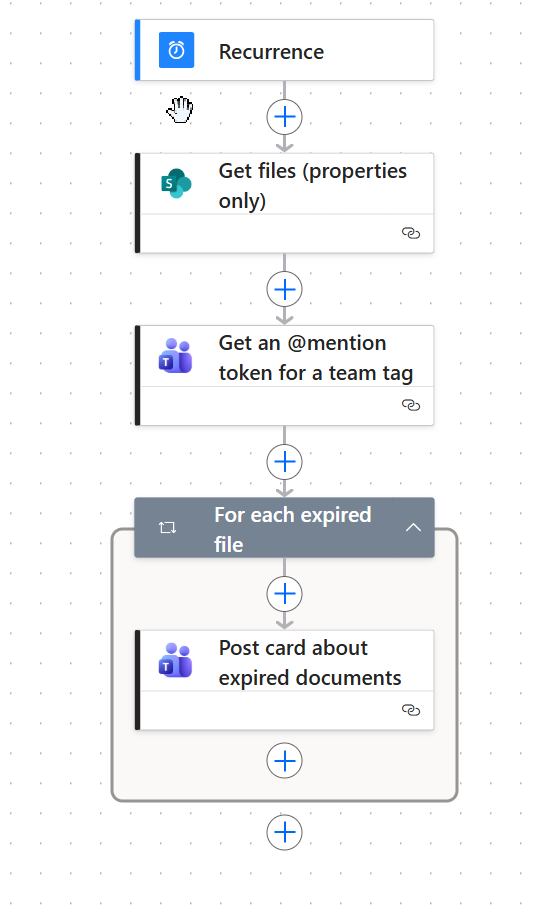
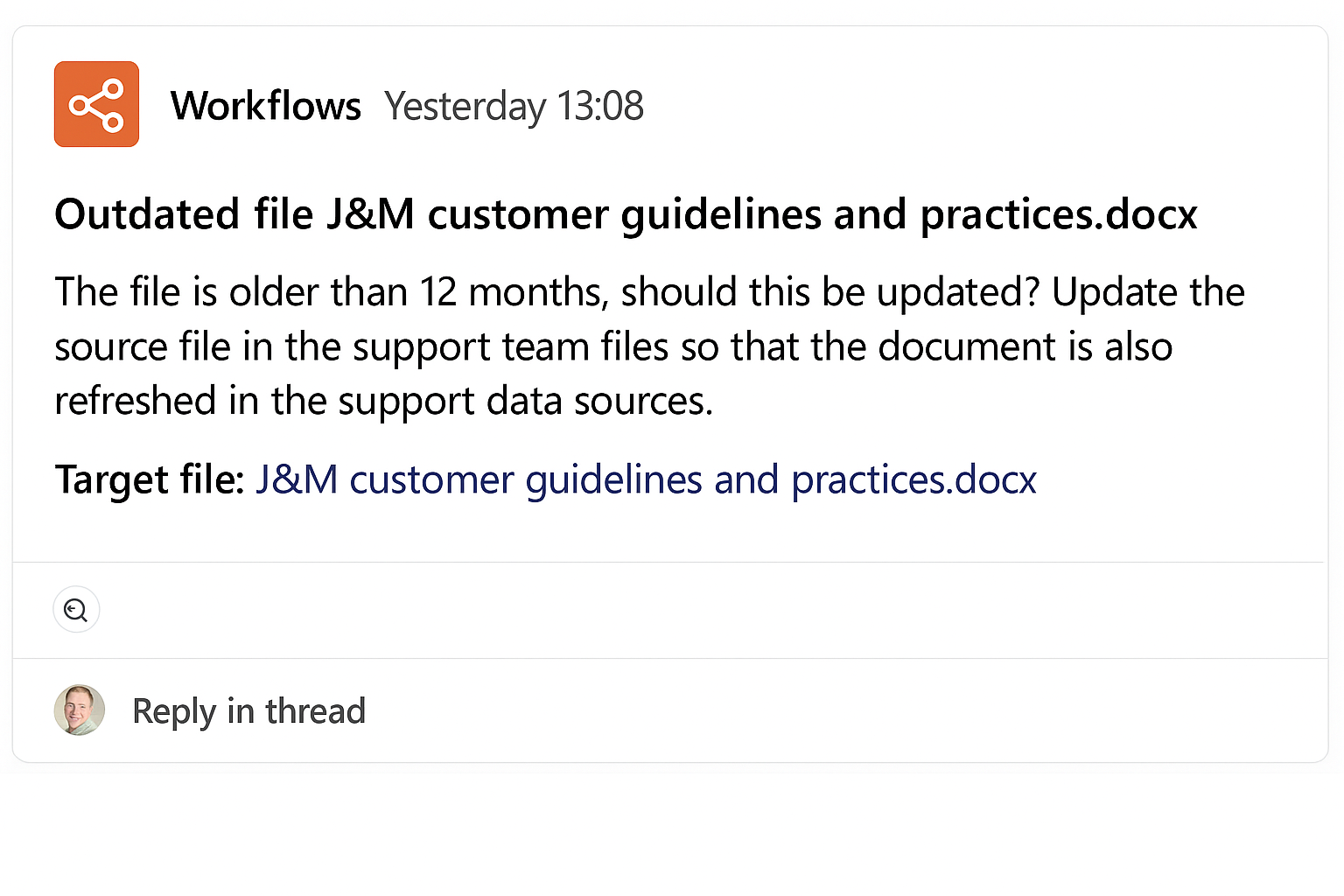
Enterprise content has a lifecycle. AI agents must respect it.
If a document:
- Has been deleted
- Has expired due to retention rules (over 12 months)
- Is no longer accessible
…the agent does not attempt to:
- Recreate the content
- Use cached summaries
- “Remember what it used to say”
This prevents one of the most dangerous failure modes in enterprise AI:
answers based on information that technically no longer exists.
Feature 3: Missing Metadata Fallback (“Last Edited By”)
Real‑world metadata is messy.
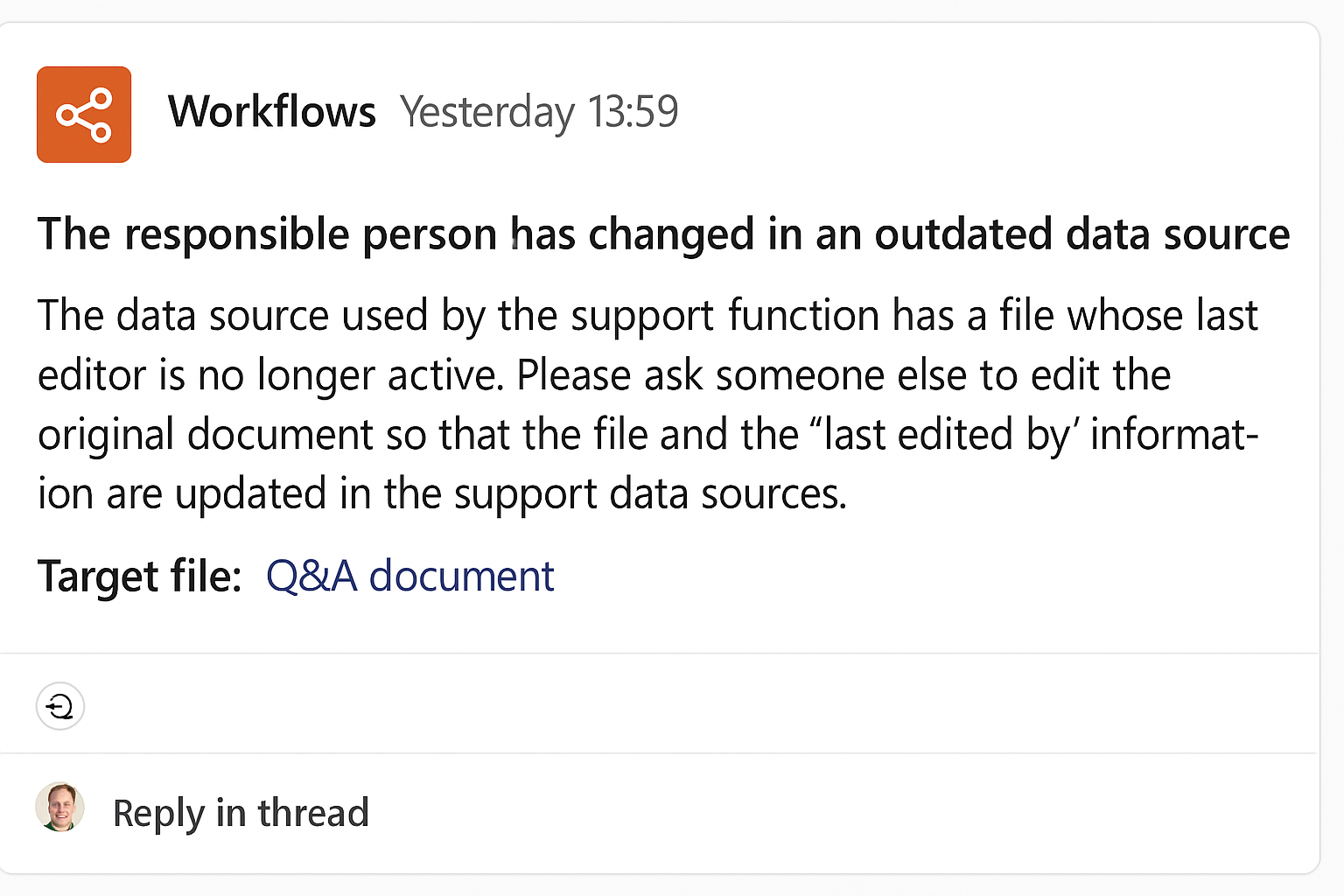
Older documents, migrations, and integrations often result in:
- Missing “last edited by” custom column
- Unclear ownership
- Incomplete history
Instead of guessing, the agent follows a defined fallback behavior:
- Detect missing or unreliable metadata
- Inform the user transparently
- Guide them toward the correct next step
(for example: identifying a content owner or escalation path)
The key point:
limitations are explained, not hidden.
Why This Setup Matters
Organizations don’t lose trust in AI because it’s weak. They lose trust because it oversteps.
This agent setup demonstrates that you can:
- Use generative AI productively
- Respect governance and compliance
- Empower business users
- And still deliver a good user experience