Power Automate is often introduced as a low-code automation tool. In real projects, however, it behaves much more like a distributed execution engine where structure, error handling, permissions, and performance decisions matter.
In my recent Experts Live Denmark 2026 session, I walked through how I design and build production-grade Power Automate flows based on years of project work. This article summarizes the key architectural patterns, pitfalls, and techniques I demonstrated — all grounded in real customer scenarios.
Why “Actions Speak Louder Than Words” in Power Automate
A flow’s success is rarely about the trigger alone. It’s about:
- how failures are handled
- how permissions are elevated safely
- how long-running processes are structured
- how users are informed outside the Maker portal
- how AI is used deterministically, not magically
The demo scenario revolved around a job application solution built with Dataverse, Power Apps, Teams, and Power Automate. But the patterns apply equally to ERP integrations, governance solutions, and internal tooling.
Iterative Development: Don’t Build the Full Flow at Once
One of the biggest mistakes I still see is building a complete flow and then testing it.
In practice, every action can fail — connections expire, data is malformed, permissions change.
Recommended approach:
- Start with trigger + one action
- Save and test
- Add functionality incrementally
- Save after each meaningful change
Scopes are critical here. Group actions by functional responsibility so that later:
- error handling is readable
- execution paths are clear
- maintenance doesn’t require scrolling through 200 actions
This mirrors traditional software development: small commits, fast feedback.
Logging and Error Handling: Built-In vs Manual
Option 1: Automated Logging (Platform-Level)
Power Platform provides Data Export to:
- Azure Application Insights
- Azure Data Lake
This is useful when:
- you have many flows
- citizen developers build automations
- you need centralized monitoring
Or you can use the Flow Run table. However, there are limitations:
- delays
- only solution-aware flows
- removed from some CoE reports
It’s useful — but not sufficient on its own.
Option 2: Manual Logging (Flow-Level)
In real solutions, manual logging inside the flow is often unavoidable.
Key techniques:
- use Scopes as
try / catch / finally - generate meaningful error messages (not “Could not validate string”)
- decide per functional block whether failure should:
- stop the flow
- or allow continuation
Example:
- failing to update a user email → log and continue
- failing to fetch core Dataverse data → log and terminate
This decision must be explicit.
Using Teams as a UI for Logging and Transparency
Business users:
- do not have access to the Maker portal
- do not see flow runs
- often assume “nothing is happening”
One simple but powerful pattern is using Microsoft Teams as a lightweight UI:
- post logs to a Teams channel
- notify on errors
- show what the automation is doing right now
Technically simple — but from a business perspective, extremely effective.
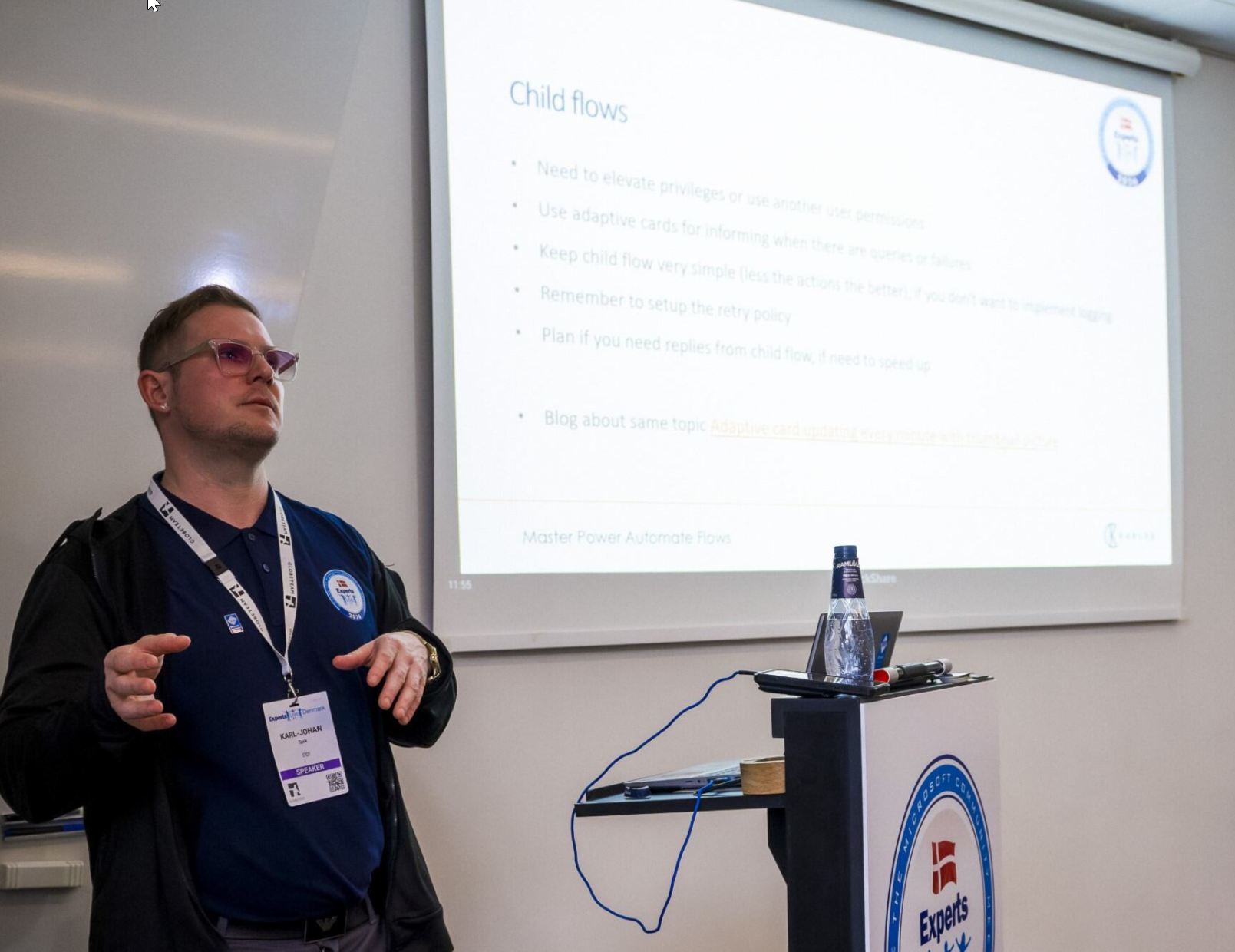
Child Flows: More Than Just Reusability
Child flows are often described as “functions”. In practice, they solve three major problems:
1. Permission Elevation
Run child flows using:
- service accounts
- “run-only” users
This avoids brittle connection reference changes in main flows.
2. Maintainability and Stability
Large flows:
- hit browser memory limits
- become unreadable
- are harder to debug
Breaking logic into child flows dramatically improves reliability.
3. Performance Control
Important caveat:
- parent flows wait for child flows to finish
If you loop 100 items and a child flow takes 1 minute → 100 minutes total.
Optimization pattern:
- respond immediately in the child flow
- continue processing asynchronously
This pattern alone can reduce execution time by orders of magnitude.
Trigger Conditions: Stop Wasting Executions
Many flows run only to immediately terminate.
Instead:
- use trigger conditions
- prevent the flow from triggering at all
Example:
- only trigger when Dataverse status = Under Review
- ignore all other updates
This is essential in large environments with:
- many flows
- high data churn
- strict run limits
The “Save and Close” Trap in Model-Driven Apps
- creating a record with Save & Close
- triggers both Create and Update events
Result:
- duplicate flow executions
Solutions:
- inspect
SdkMessagein trigger outputs - terminate updates explicitly
- or add validation flags
This issue alone has caused countless duplicated integrations — and is easy to miss.
Spam Prevention: Automation Needs Boundaries
Any flow triggered by:
- forms
- public endpoints
…must assume abuse.
Common mitigation techniques:
- trigger conditions
- concurrency control (Degree of Parallelism = 1)
- delay actions
- sender validation
- GUID validation
- CAPTCHA or tokens (Power Pages / Power Apps)
- IP tracking for repeated abuse
Automation without guardrails becomes a denial-of-service vector.
Approval Flows: When Built-In Isn’t Enough
Out-of-the-box approvals:
- work well
- sync between Teams and email
But at scale:
- they become noise
- Teams turns into an approval spam machine
- post adaptive cards into Teams channels
- let teams review approvals asynchronously
- parse responses manually
This pattern works especially well for:
- governance requests
- connector approvals
- CoE processes
Using GPT in Power Automate — Responsibly
AI works best in Power Automate when:
- it is one step in a deterministic flow
- not an autonomous agent
Patterns shown:
- extract text from PDFs
- compare CVs against Dataverse job descriptions
- generate summaries
- format HTML output for email
Best practices:
- validate AI output
- add human-in-the-loop where needed
- filter Dataverse data before passing it to prompts
- avoid “read everything and decide” prompts
AI should augment automation — not replace structure.
Final Thoughts
Power Automate scales remarkably well — if you treat it like a real execution platform.
Key takeaways:
- structure matters
- permissions matter
- logging matters
- performance matters
- AI must be constrained
Flows that “just work” in demos often fail in production. Flows designed with these patterns survive years of change.
If you want automation that truly speaks louder than words, design it intentionally.