No — you usually don’t.
Power Platform and Dataverse already include built‑in mechanisms for detecting abnormal or unexpected usage. Whether you need a custom solution depends entirely on what you mean by “anomalous behavior.”
1. Detecting Anomalous Behavior Inside Dataverse
If your goal is to detect unusual activity in Dataverse tables, rows, or data changes, you already have everything you need.
Audit Logs: Your Built‑In Anomaly Source
Audit logs provide insight into:
- users accessing a table more than usual
- unexpected row‑level changes
- when usage spikes begin
- which background Flow runs, plug-ins, or apps triggered those changes
Audit is a native capability — no custom agent required.
2. Anomalies in Power Platform Usage (Apps, Flows, API Calls)
Maybe the abnormal usage is happening at the platform level:
- A Flow suddenly starts hammering a table
- An app initiates an unexpected burst of API calls
- An integration begins writing data at night
- A user performs mass updates
This is all visible without additional tooling.
📊 PPAC → Analytics → Dataverse
You can easily identify:
- table‑level and app‑level API spikes
- who or what is generating calls
- when usage increases over time
Again, no custom agent needed — the analytics dashboards do the job.
3. Detecting Abnormal Behavior with CoE Starter Kit
If you’re using the Center of Excellence (CoE) Starter Kit, you already have one of the most powerful monitoring solutions available.
CoE can detect:
- apps that suddenly start using new tables
- Flows that trigger unusually often
- rapid spikes in API consumption
- uncommon or new data sources writing into Dataverse
CoE telemetry behaves like a “prebuilt agent” — you don’t need to build your own.
4. Anomalies From a Security Perspective
If by “anomalous usage” you mean security risks — suspicious API behavior, odd sign-in patterns, risky access to apps using Dataverse — Microsoft 365 security products already cover this.
Built‑in Security Anomaly Detection
- Entra ID Protection
- impossible travel
- risky sign-ins
- unfamiliar sign-in locations
- Microsoft Defender for Cloud Apps (MDA)
- detects abnormal API calls
- identifies unusual app behavior
- flags suspicious data access patterns
These services act as advanced, cloud-native anomaly detection engines — no custom agent required.
So When Would You Need a Custom Agent?
Only when you want to detect your own definition of abnormal behavior.
Examples:
- “If a row with value X > 500 is created at night”
- “If the same user edits more than 100 rows in 10 minutes”
- “If fields in several tables change simultaneously”
In those cases, you might build:
- a scheduled Power Automate log analyzer
- a Dataverse plug‑in
- a Power BI report with anomaly detection logic
- custom telemetry via Application Insights
But in most real-world scenarios — you don’t need this.
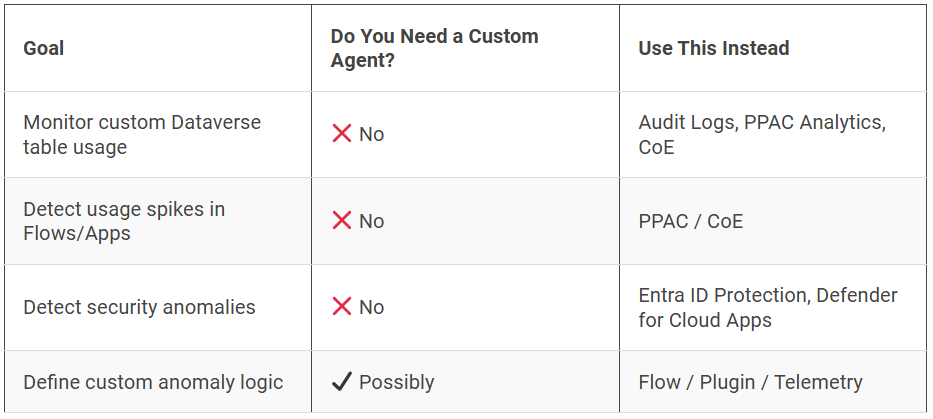
| Goal | Do You Need a Custom Agent? | Use This Instead |
|---|---|---|
| Monitor custom Dataverse table usage | ❌ No | Audit Logs, PPAC Analytics, CoE |
| Detect usage spikes in Flows/Apps | ❌ No | PPAC / CoE |
| Detect security anomalies | ❌ No | Entra ID Protection, Defender for Cloud Apps |
| Define custom anomaly logic | ✔️ Possibly | Flow / Plugin / Telemetry |
You can create Power BI Report for analysing the data