Tag power apps
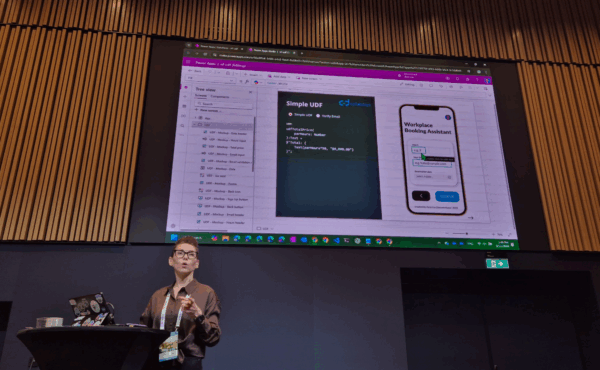
At CollabDays Finland 2025, Power Platform advocate Katerina Chernevskaya delivered a session that was both technically rich and refreshingly relatable. Her talk focused on two powerful features in Power Apps—Named Formulas and User Defined Functions (UDFs)—and how they can transform the way makers build,… Continue Reading →

I need to have prefixed dates in Microsoft PowerApps model-driven app and could not find any suitable solution from Internet. I found this video from Alireza Aliabadi where message was clear: There is no idea to use the calendar component… Continue Reading →

Dynamics 365 (D365) offers integration that stores documents into SharePoint and displays them in D365. This integration has many benefits and offers indexing of documents which will not happen if the documents are saved inside Dataverse which is technical database… Continue Reading →

It is possible to create some kind of manual ALM for Dataverse for Teams (DV4T) solutions, but they need many manual steps and move the solution as managed if you wish to update the solution multiple times and do development,… Continue Reading →

Coffee Watcher solution uses Canvas App to capture images and sends them to Power Automate flow for further processing. When calling flow from app there needs to be connection references setup properly to get the flow trigger working. Sometimes the… Continue Reading →

Coffee Watcher solution is based on image recognition, this post will show how the Canvas App is developed. Most secure and compliant solution for production use would be use wifi camera, that sends image every minute i.e. to email address…. Continue Reading →

🚀 Intelligent Coffee Watcher App with Power Apps, Power Automate and AI Builder. I’ve built Power Apps Canvas App that captures photos of our Turku office coffee maker every minute. These images are then sent to Power Automate, which leverages… Continue Reading →

How to get data from Dataverse into Canvas App outside the offline profile filters? Previous post demonstrated how to create two different Canvas Apps and change between them. The second possibility is to use Power Automate to get the data… Continue Reading →

Power Apps Canvas renewed the offline functionality so that there is offline profile, which saves data with selected filter into your mobile device when there is no connection to Internet. With offline profile, the user has only the offline profile… Continue Reading →

Custom user settings can be saves into Dataverse. In previous post I described how to read the settings with Power Automate before notifying user in Teams. This post describes how to create the user interface where user and see the… Continue Reading →