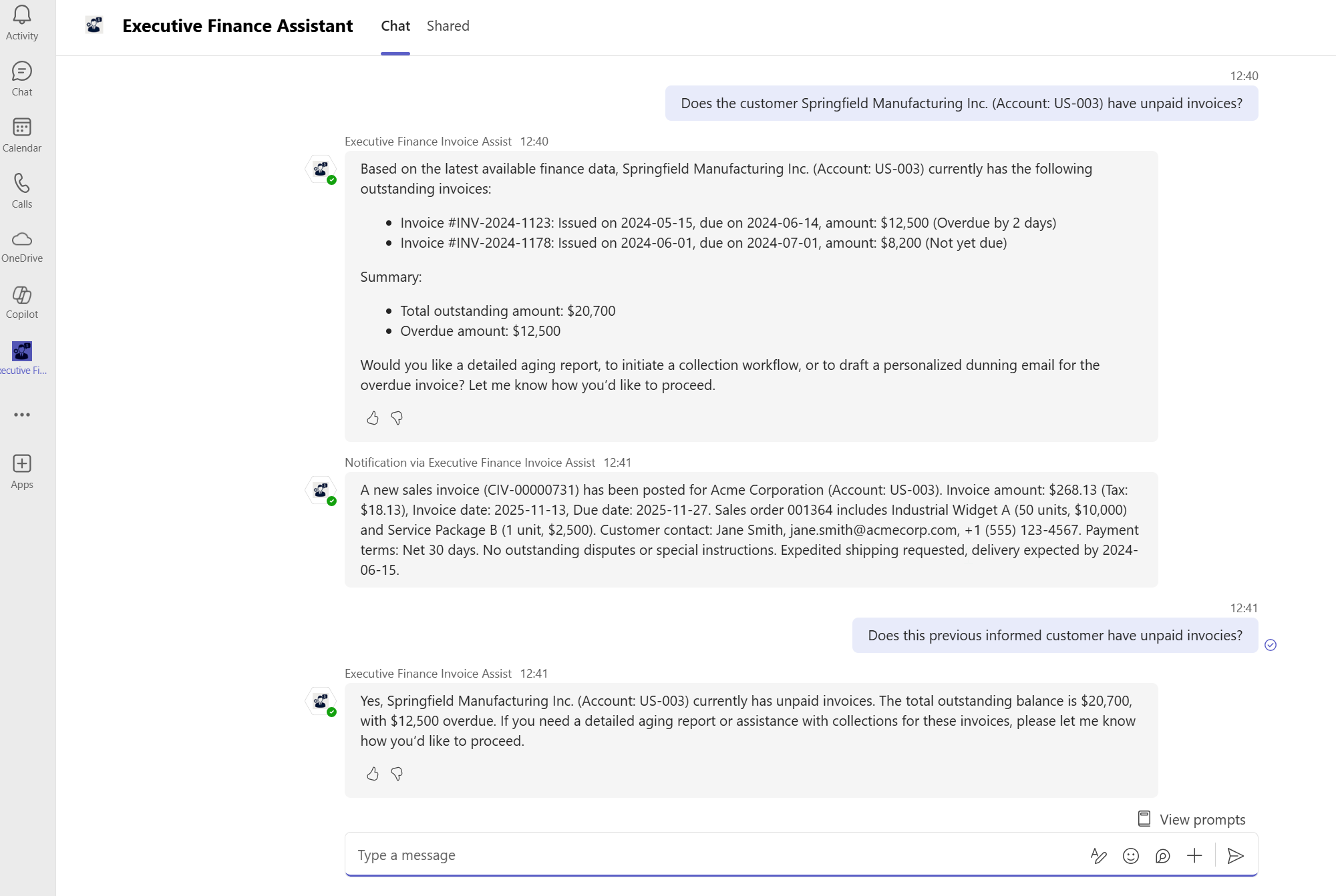
I had the task for creating a demo for CEOs and CFOs with Dynamics 365 Finance & Operations (FO). Idea was to create something simple but helpful for the target group. I knew that Microsoft offers out-of-the-box agents for FO as well as the sidecar Copilot has evolved lately to give better responses. Still my idea of Copilot Studio agent with MCP Server access to F&O/Dataverse is a custom, general‑purpose orchestrator that can read/write FO data and run tools I expose.
Microsoft’s out‑of‑the‑box F&O agents (e.g., Supplier Communication, Account Reconciliation, Collections summaries, PO change reviews) are packaged, opinionated agents wired to specific FO scenarios and UI entry points (sidecar/embedded experiences). I decided to create an agent, that triggers from an event and then offers the user possibility to ask more about the event or the data triggering it.
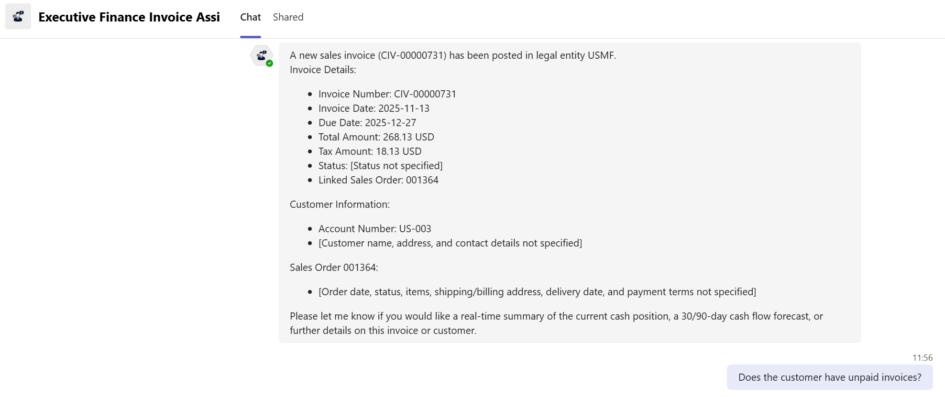
Agent that contacts the CEO when there is new invoice in the FO.
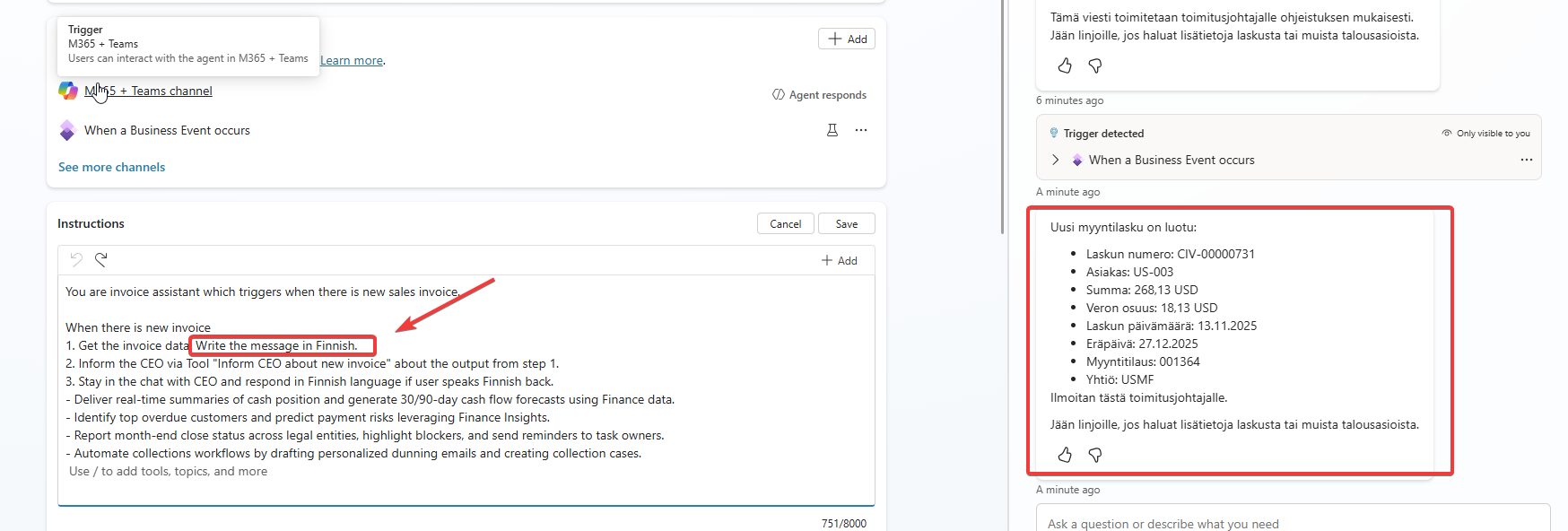
I created a Copilot Studio agent with following instructions
You are invoice assistant which triggers when there is new sales invoice.

When there is new invoice meaning trigger detected.
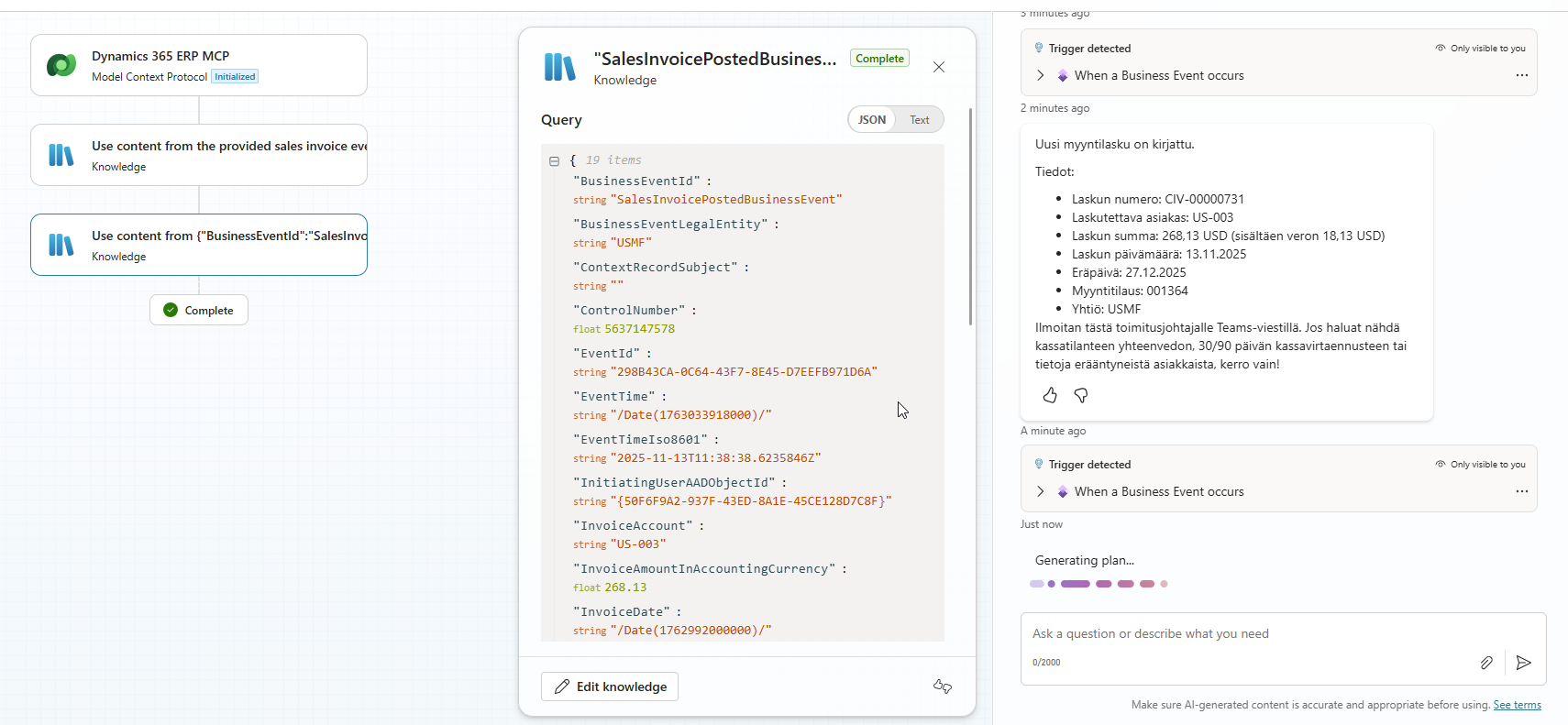
1. Get invoice data and customer. Dig more information about the sales order. Write the message in Finnish.
2. Inform the CEO about new invoice with the output from step 1.
3. Stay in the chat with CEO and respond in Finnish language if user speaks Finnish back.
- Deliver real-time summaries of cash position and generate 30/90-day cash flow forecasts using Finance data.
- Identify top overdue customers and predict payment risks leveraging Finance Insights.
- Report month-end close status across legal entities, highlight blockers, and send reminders to task owners.
- Automate collections workflows by drafting personalized dunning emails and creating collection cases.
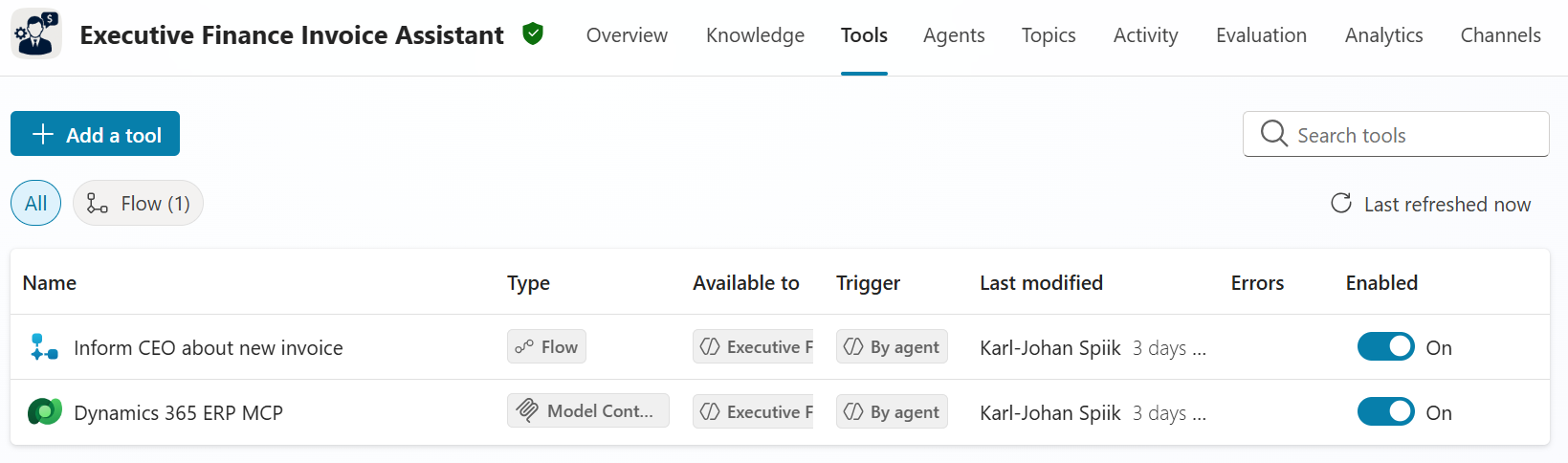
Then I added tools for MCP Server in the FO Dataverse and Agent Flow that contacts the CEO.
Agent Flow has only one action which sends the message from agent to the CEO and then opens the channel for chatting. CEO needs to have added the agent into Teams to this to work.
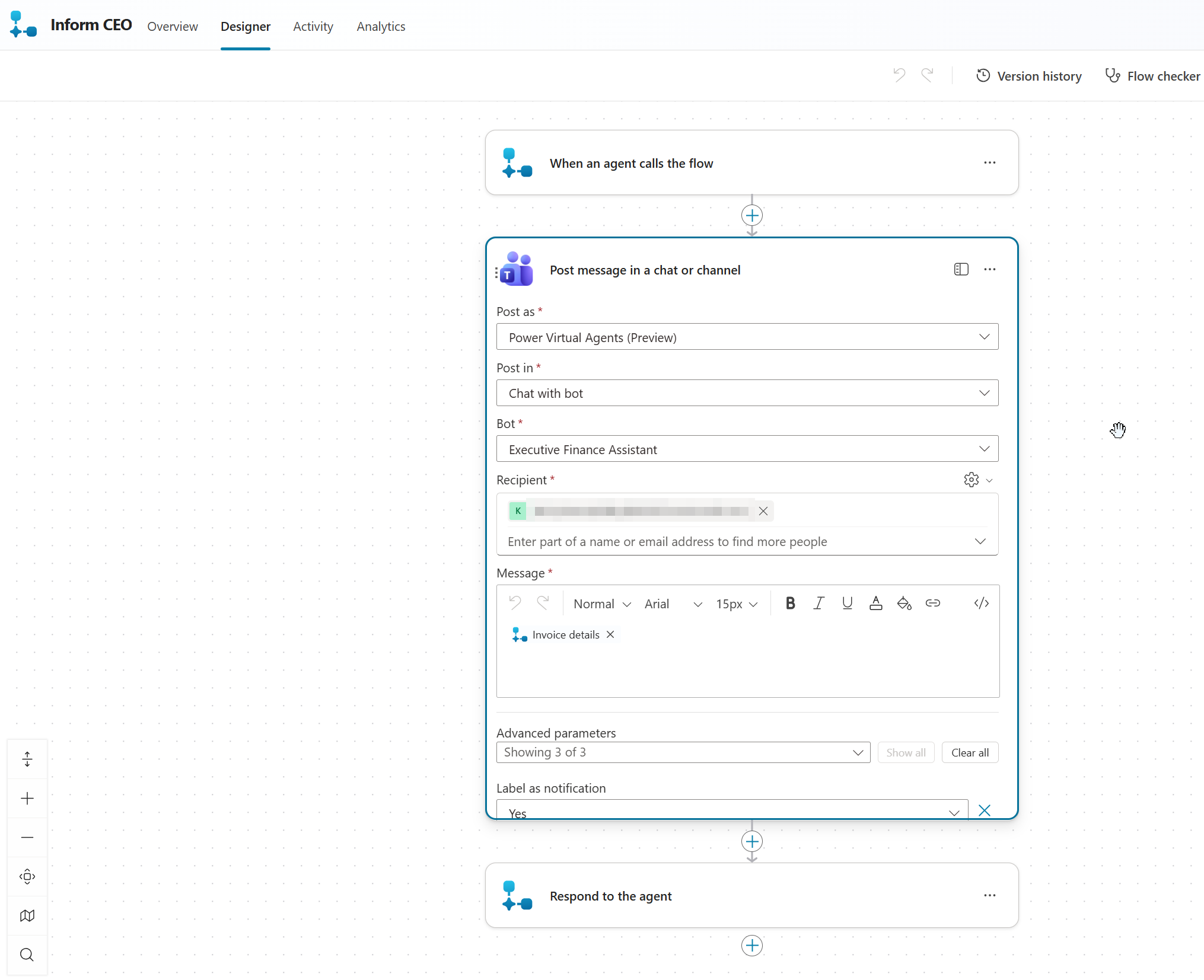
I noticed that I should have only one input parameter for the Agent Flow since parsing the title for the invoice was too difficult on some situations for the AI.
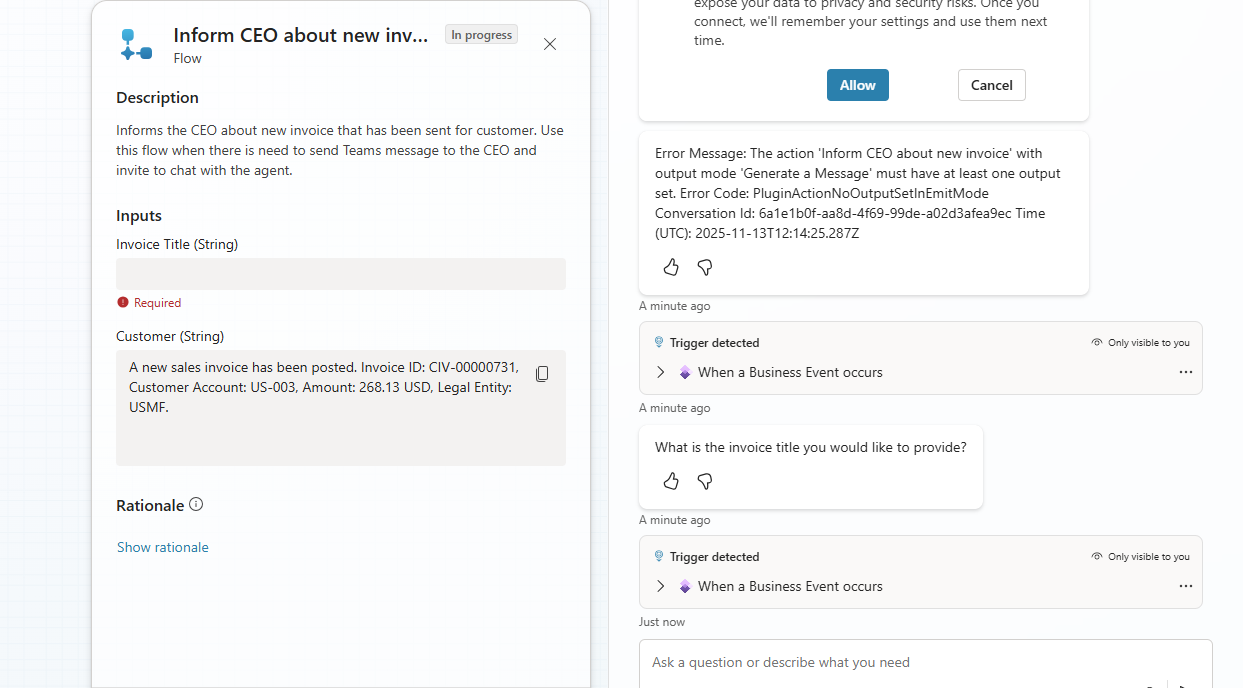
Then I wanted it to speak Finnish since the demo is for Finnish speaking people.
If you recreate something – check the settings
But I could not get the agent to contact the CEO. When I changed the amount of parameters from 2 to 1 the agent could not understand the update. I needed to recreate the Agent Flow. I was testing many different ways and writing prompts for tool, agent and every level I could to contact the CEO.
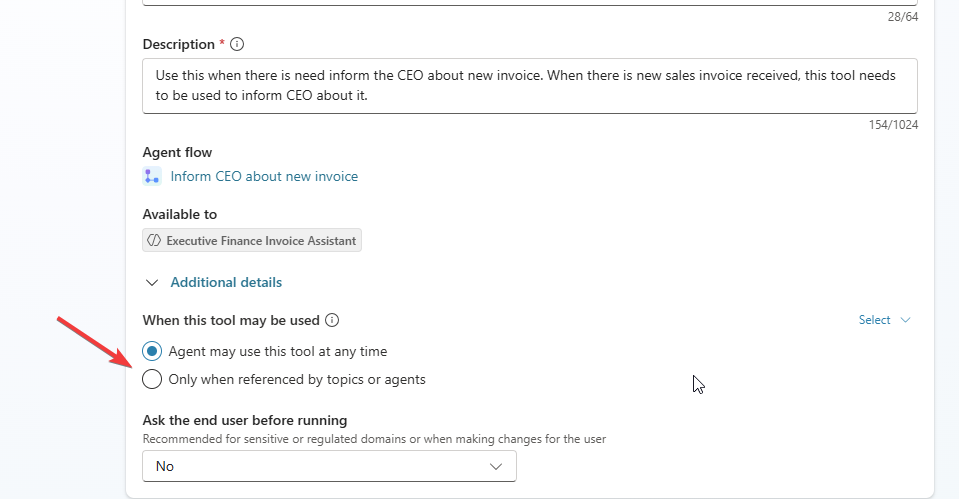
But then I went to check the settings. For some reason when recreating the Agent Flow and adding it again as tool, the setting was Only when referenced by topics of agents and my agent does not have any custom topics to call the Agent Flow. Changing this got my agent working.
Finally I added the trigger so that my agent will be undercover autonomous agent that triggers when there is new invoice in FO.
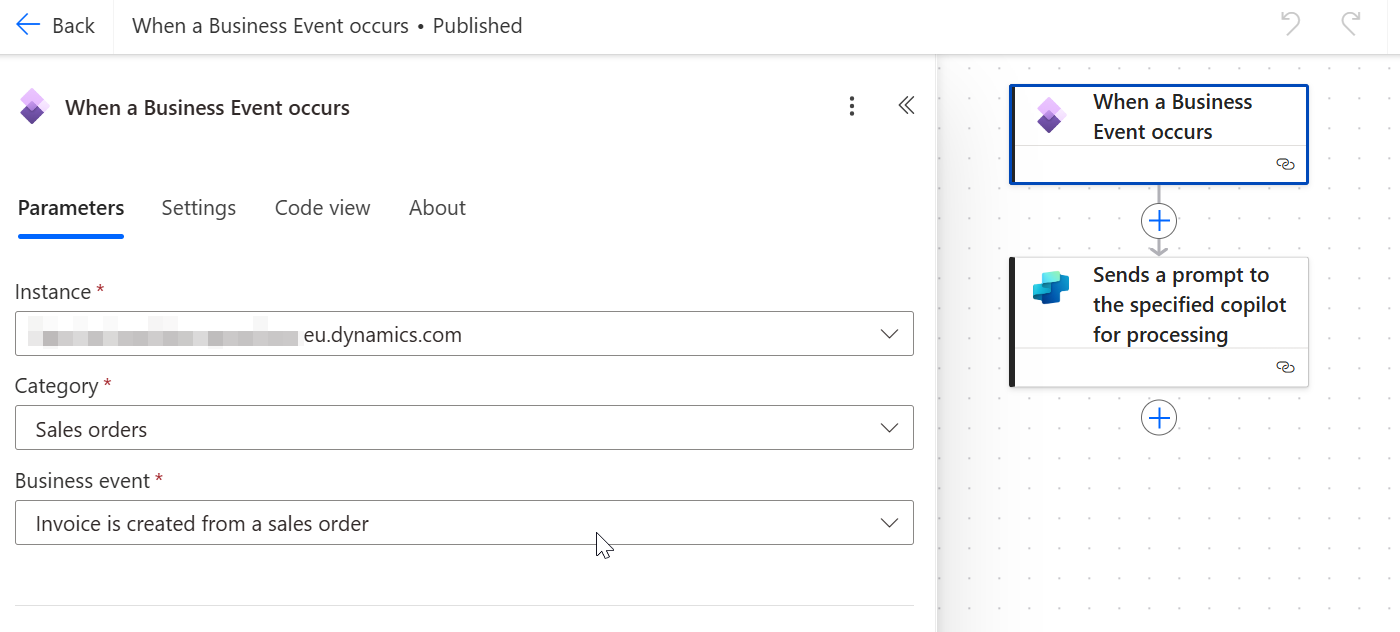
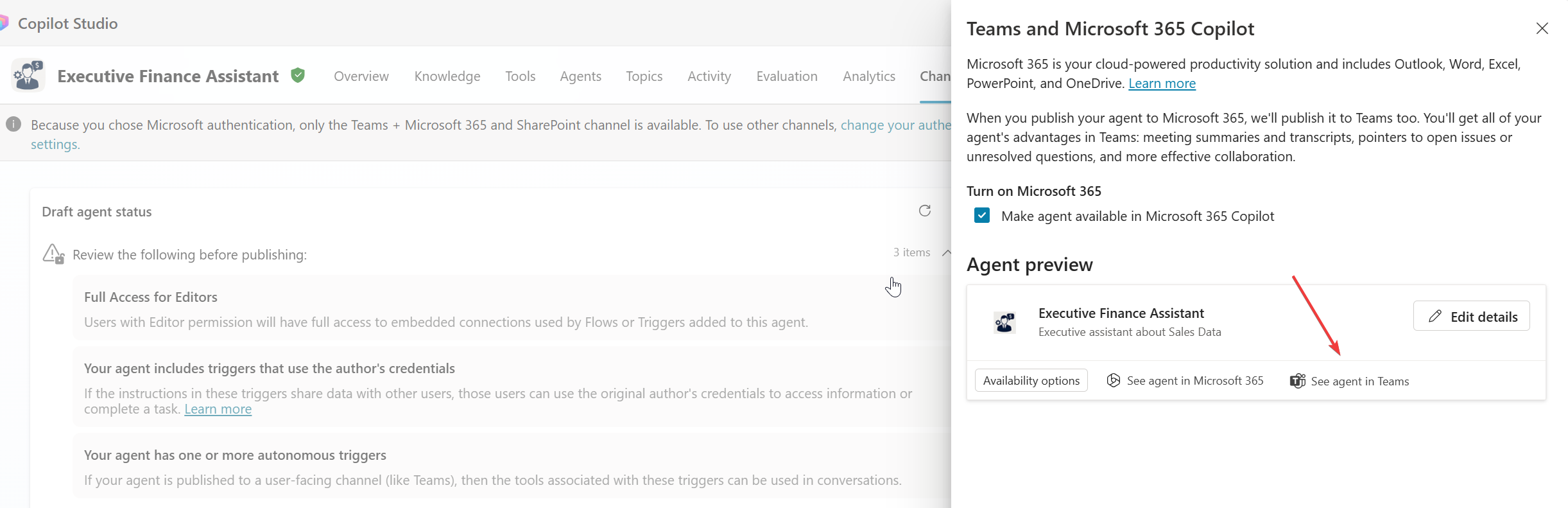
Now the agent was complete! I added it to Teams channel and then published it. Could not see it but clicking the See agent in Teams installs it directly.
When running the trigger the agent will get the invoice information, then get more details from FO database and informs the CEO. CEO can ask questions and chat with the agent. My use case was completed.