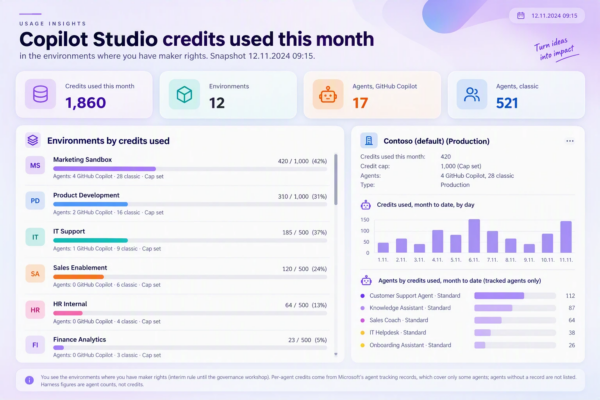

I’ve always worked directly for the customer, serving the customer’s needs. When my work was mainly Power Automate flows, I made the progress visible by logging into Teams, so that the project members could see what is happening, not just IT who have access to the maker portal (Custom Approval with Adaptive Card). Now I got the same idea for agent owners – they should know the other agents’ consumption as well, if their agent does not have an individual credit limit.
I have built Power Platform lifecycle helper tools for my customers, so that maintenance is easier and users’ requests flow to us without overloading the communication channels and without consuming my time asking every time “which connector do you mean” or “do you want to have a database in your new environment”. When the CoE Starter Kit was deprecated, there was an empty spot in how to start a new maintenance project for a customer. Usually installing the Starter Kit and analysing the environments, apps and flows were the first steps, and then closing the default environment.
When Jukka Niiranen told his idea of how to continue where the Starter Kit left off, I was already planning a new tool for that. But struggling with the GHCP harness and answering agent owners when environment limits were being reached got me thinking. Who should actually follow the limits?
Why do I need to answer and explain all this every time to every user, when I can give them visibility into what is happening and which agents are draining the credits?
What the agent owner sees today
Copilot Studio already shows quite a lot to the agent owner. The Monitor page shows how many credits your own agent has used, and if the admin has set a monthly limit for the agent, there is a bar showing how much is used and how much remains (View agent’s billing consumption). In Preview and Evaluate you see an estimate while you build.
But most agents don’t have an individual limit. They share the environment’s credits with every other agent in the same environment. And the environment level, meaning how much is allocated, how much is used and which agents use it, is only in the Power Platform admin center and in Cost management in the Microsoft 365 admin center. Business leaders get department level numbers from the Insights consumption dashboard, though today it covers Cowork and the Work IQ API, not Copilot Studio agents. The agent owner, the one who can actually change the agent, sees only their own piece.
So when the environment runs out, the owner is surprised. And the question comes to me.
Who should see what
My first version showed every user the environments the standard connector returned for them. That sounds fine until you look at the list. A Basic User who can run one app in an environment gets that environment with all its agents and all its consumption. They cannot build anything there and they cannot ask more credits for it. The list just gets longer and the numbers mean nothing to them.
The rule agreed this week is simple. You see an environment’s credits if you are an Environment Maker there, or higher. This is not my own invention. The Power Apps maker portal uses the same rule for its environment picker: Environment Maker, System Customizer or System Administrator, directly or through a Microsoft Entra group team. Makers already know that list, so the credit view behaves the way they expect.
Who sees the number decides what the number is for.
A number alone tells nothing
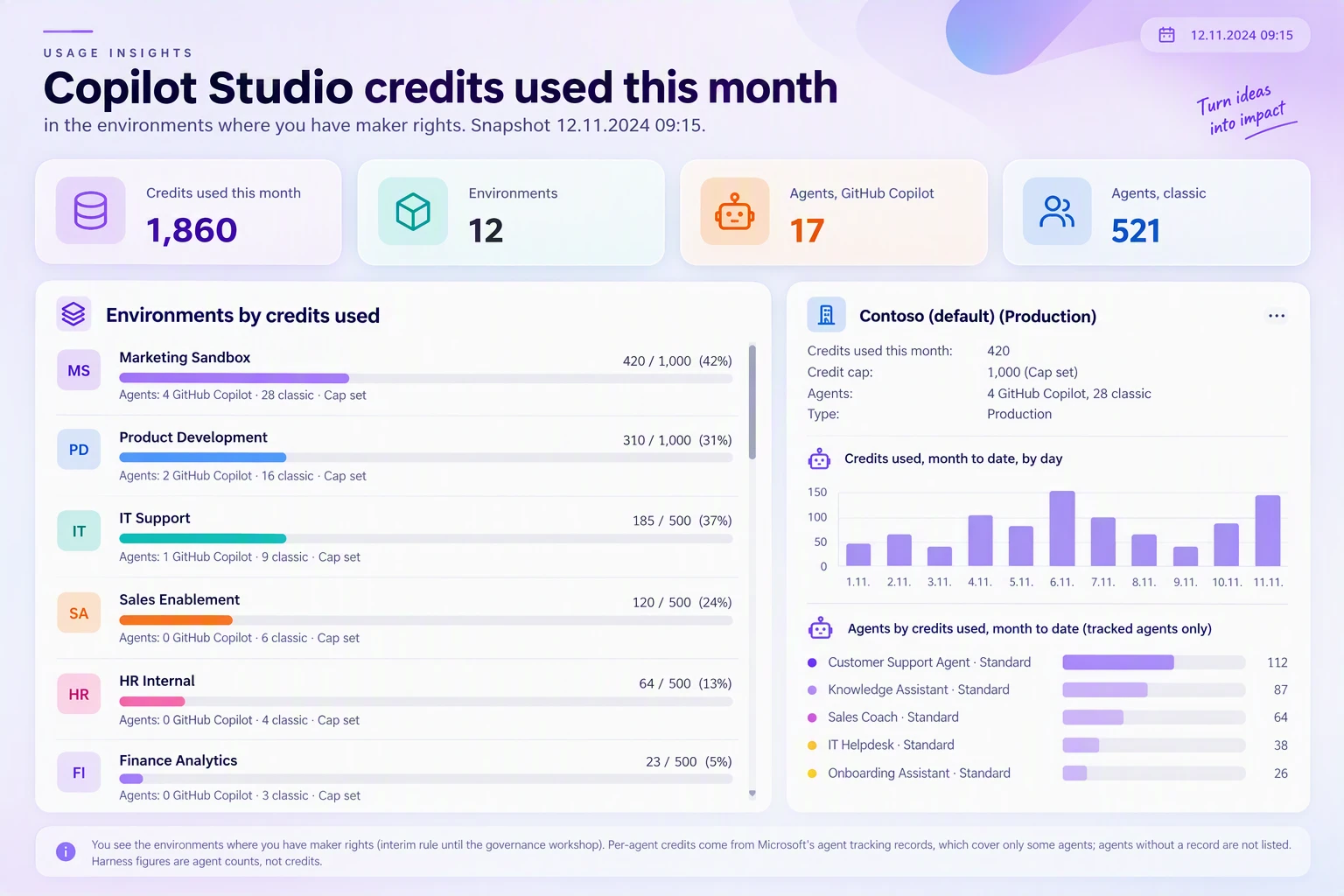
1,000 credits this month is just a number on the screen. 1,000 of the environment’s 5,000 tells the owner how big a share of the common pool their agent takes. So the view always shows consumption against the allocation, never alone.
And visibility is also a light control. When everyone in the Default environment sees which agent is eating the credits, colleagues start asking. A business critical project then moves to its own environment, where only its own makers see the figures. Nobody in the meeting thought wide visibility was a risk. The worst case is that someone sees another unit spending more.
How it works
The collection layer is the same one I built for credit alerts that went to the wrong person, and the code is on GitHub. A nightly flow lists the environments with the Power Platform for Admins connector and reads each environment’s Copilot Credits entitlement (MCSMessages) from the Power Platform licensing API. The agent inventory adds the agents. The calls go through the HTTP with Microsoft Entra ID (preauthorized) connector, and the result is one row per environment in a SharePoint list.
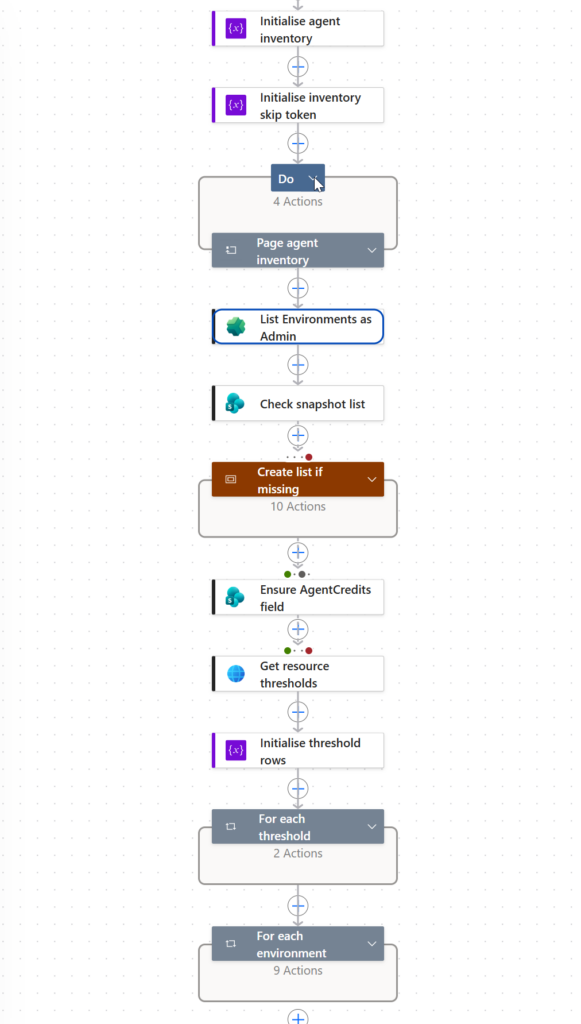
Agent level numbers come from Get All Resource Thresholds. It is the same data the admin center’s Manage Agents page uses, and it gives month-to-date billed credits per agent.
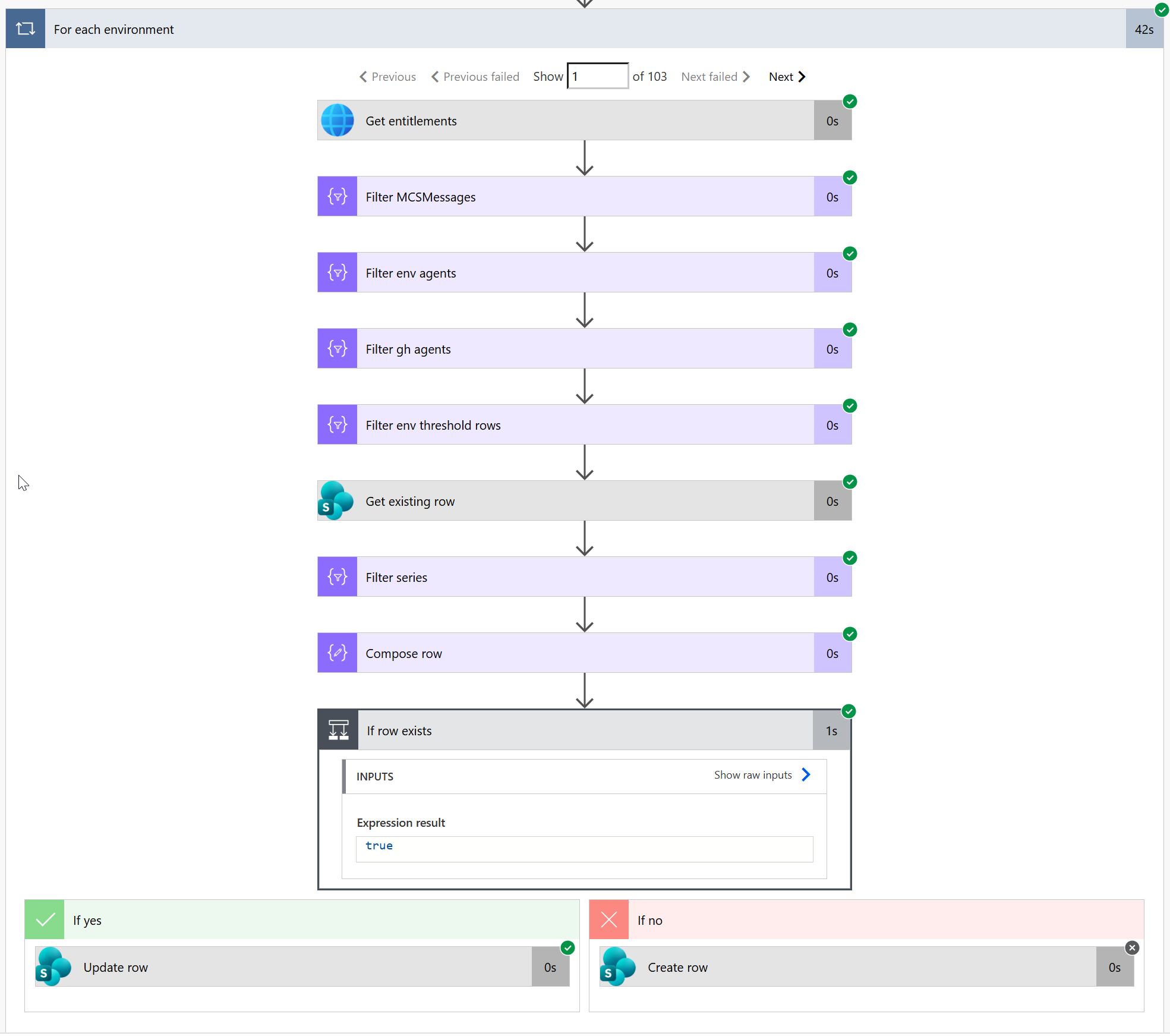
Visibility comes from Entra groups. The nightly flow reads which group teams have Environment Maker or higher in each environment. When a user opens the view, a flow running as that user asks which groups they belong to with the Office 365 Groups connector, and keeps the environments where the two lists meet. This needs one rule in the governance model: maker rights are given through Entra groups, never directly to a person. If someone has a direct role, they don’t see that environment. That is on purpose. It is a deviation which is fixed by adding the person to the right group.
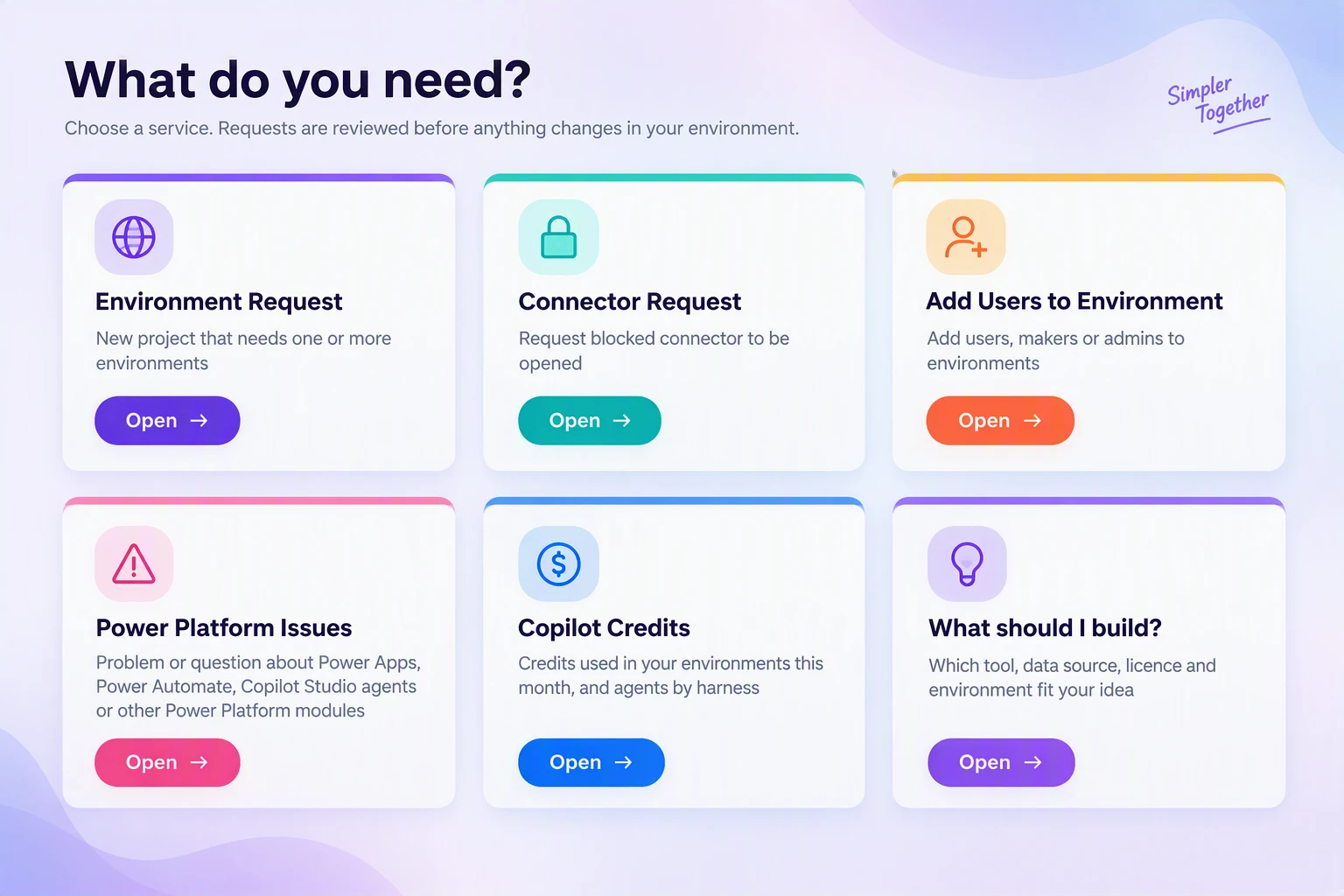
The credit view is one function in the lifecycle tool I mentioned above, next to environment requests, connector openings and maker rights. So the users see the consumption themselves and fewer questions come to maintenance. The Maker rule is agreed, and the group based version is now being built in the customer’s development environment.
What we learned the hard way
- The per-agent Entitlement Insight call returned 403 in our tests. Resource thresholds worked, but they list only agents that have a threshold row, and the view says so on the screen.
- HTTP with Microsoft Entra ID worked only with the preauthorized variant. The other one gave AADSTS65002.
- The maker portal picker counts Entra group teams but not owner teams, as the troubleshooting guide for missing environments explains.
- The agent inventory returns at most 1,000 rows per call, so you need paging.
- Pay-as-you-go works only for production and sandbox environments, not developer ones.
The admin center is for admins. The agent owner is the one who can change the agent, so the number should be where they are. Who in your tenant sees the credits today, and can they do anything about what they see?