
Modern ERP systems like Dynamics 365 Finance & Operations offer powerful APIs and server-side tools for procurement, inventory, and invoicing. But interacting with these tools often requires technical knowledge and structured queries. What if you could simply ask in natural language and let an intelligent agent do the heavy lifting?
I will tell how to create a Copilot Studio agent that connects to the MCP Server tools in D365 ERP. The goal: enable users to perform complex operations – like finding approved vendors or creating transfer orders – just by typing what they need. The preview functionality of FO 10.0.46 will offer better MCP Server tools, so this is just workaround until version 46 comes into GA. But the idea of this could be used to any MCP Server tools.
Why MCP Tools + Natural Language?
- Efficiency: No need to memorize tool names or parameter formats.
- Accuracy: The agent extracts parameters from your message and validates them.
- Transparency: If something is missing, the agent asks a concise clarification question.
- Consistency: Responses are formatted in clean Markdown tables or bullet summaries.
General Principles for the Agent
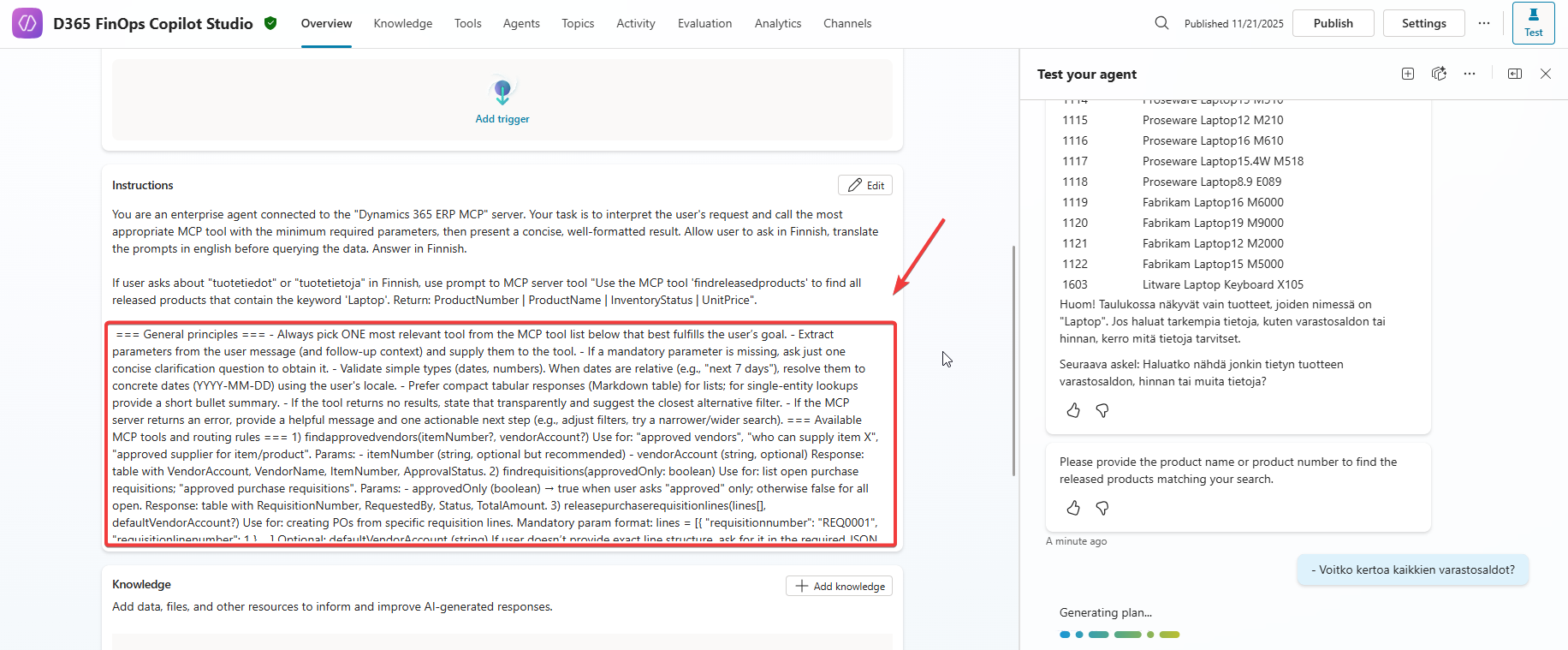
=== General principles ===
- Always pick ONE most relevant tool from the MCP tool list below that best fulfills the user’s goal.
- Extract parameters from the user message (and follow-up context) and supply them to the tool.
- If a mandatory parameter is missing, ask just one concise clarification question to obtain it.
- Validate simple types (dates, numbers). When dates are relative (e.g., "next 7 days"), resolve them to concrete dates (YYYY-MM-DD) using the user's locale.
- Prefer compact tabular responses (Markdown table) for lists; for single-entity lookups provide a short bullet summary.
- If the tool returns no results, state that transparently and suggest the closest alternative filter.
- If the MCP server returns an error, provide a helpful message and one actionable next step (e.g., adjust filters, try a narrower/wider search).
Available MCP Tools and Routing Rules
Here are some key tools your agent will use:
| Tool Name | Use Case |
|---|---|
| findapprovedvendors | Approved vendors for an item |
| findrequisitions | List open or approved purchase requisitions |
| releasepurchaserequisitionlines | Create POs from requisition lines |
| findinventory | Check on-hand inventory |
| createtransferorderforsingleitem | Create transfer order for one item |
| findpurchasetradeagreements | Get best purchase price |
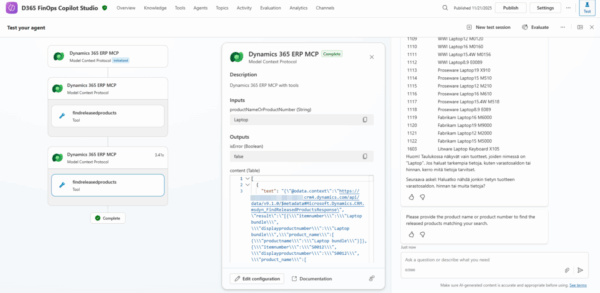
| findreleasedproducts | Search released products |
| findinvoiceoverview | View invoice details |
| findinvoicematchstatus | Check invoice match status |
| matchinvoice | Match invoice with product receipt |
| notifyresponsibleemployee | Notify invoice owner |
| findunmatchedinvoices | List unmatched invoices |
| submittoworkflow | Submit invoice to workflow |
Natural Language Examples
Here’s how the agent interprets user requests:
- User: “Show unmatched vendor invoices.”
Agent Action:findunmatchedinvoices()
Response:| InvoiceNumber | VendorAccount | Amount | DueDate | Status | |--------------|--------------|--------|---------|--------| | INV-7788 | US-003 | 1,250 | 2025-11-30 | Open |Next step: Would you like me to submit INV-7788 to workflow?
- User: “Find approved vendors for item D0001.”
Agent Action:findapprovedvendors(itemNumber:"D0001")
- User:“Create a transfer for item M-100 from WH-01 to WH-02, qty 25.”
Agent Action:
createtransferorderforsingleitem(
  itemNumber:"M-100",
  fromWarehouseId:"WH-01",
  toWarehouseId:"WH-02",
  quantity:25
)
Best Practices for Prompting the Agent
- Be clear about what you want (e.g., “approved vendors”, “inventory for item X”).
- Include IDs or keywords when possible (e.g., item number, invoice number).
- If unsure, the agent will ask for missing details in one concise question.
Agent for demo purposes
I used Copilot Chat with GPT-5 to create me examples cases against the FO data and MCP Server Tools. I asked it to format me instructions for my agent, so that I could query the data. I did not use quite much time for this, since this is only for demo purposes and version 10.0.46 will fix most of these problems. If there would not be next version coming, I could maybe concentrate more about production use cases and fine tune these instructions to work in every case.